Hiring skilled Shopify developers is not about picking the person with the cleanest portfolio screenshot. It is about finding the developer who can turn a messy store problem into scoped work, prove the technical path, and keep the store stable after launch.
The search results for this topic are full of directories, hiring marketplaces, agency pages, Reddit threads, and a large AI Overview. That tells us the reader does not need another generic list of places to hire. They need a buyer-side checklist for proving whether the person behind the profile can protect revenue.
Direct answer – What are skilled Shopify developers?
Skilled Shopify developers show proof in four places: live store work, Shopify-specific technical judgment, a scoped build process, and post-launch support. Look for Liquid, HTML/CSS, JavaScript, Shopify API, theme performance, staging, QA, and clear handoff documentation. Avoid developers who quote instantly before separating theme edits, custom apps, integrations, migrations, or headless work.
Key Takeaways
- A good Shopify developer diagnoses the type of build before giving a price or timeline.
- Portfolio screenshots are weak proof. Live stores, role clarity, and measurable constraints matter more.
- Technical skill should cover Liquid, HTML/CSS, JavaScript, Shopify APIs, performance, and app trade-offs.
- Post-launch support is not a bonus. It is how you avoid revenue loss after the store goes live.
- For complex B2B ecommerce, the developer also needs pricing, catalog, ERP, CRM, and approval-workflow context.
What a skilled Shopify developer actually does
A skilled Shopify developer builds, customizes, fixes, and extends Shopify stores in ways that fit the merchant’s real operating model. That can mean theme work, custom pages, product-template changes, performance fixes, app configuration, API integrations, migration support, checkout constraints, or headless storefront work.
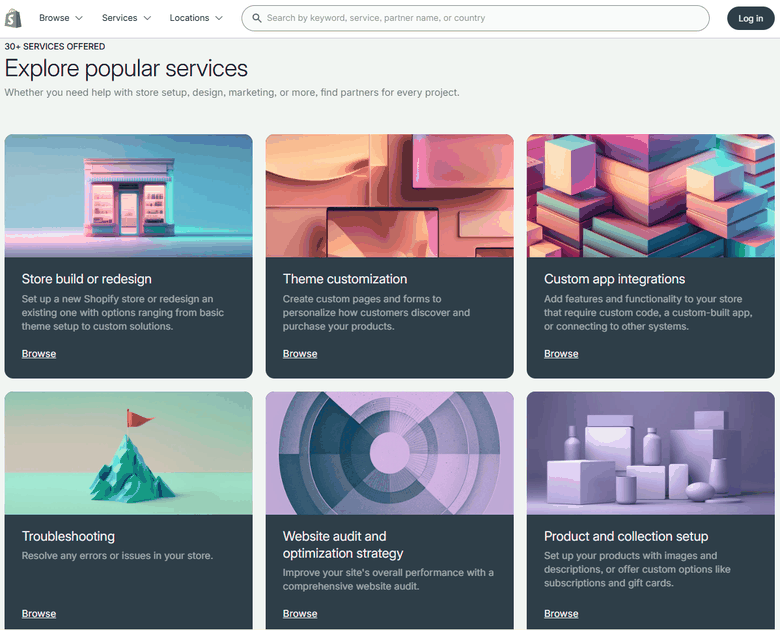
Shopify’s own Partner Directory separates services such as store build or redesign, theme customization, custom app integrations, troubleshooting, website audit and optimization strategy, and product setup. That service spread matters because “Shopify developer” is not one job. A developer who is excellent at theme edits may not be the right person for ERP integration or a custom app.
The stakes are higher than a prettier storefront. Shopify reported that merchants cleared more than $100 billion in GMV in Q1 2026, according to its May 5, 2026 investor release. When a store sits on a platform moving that much commerce, a bad customization can slow pages, break tracking, damage SEO, or interrupt checkout during a campaign week.
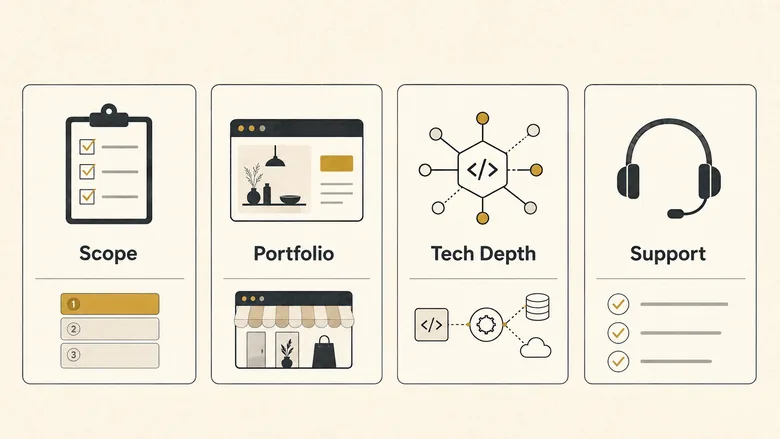
| Area to test | Skilled developer signal | Risk sign |
|---|---|---|
| Scope | Separates theme edits, custom theme work, app work, integrations, and migration tasks. | Quotes one flat price before asking how the store works. |
| Portfolio | Shows live stores, role clarity, constraints, and what changed after launch. | Shows only mockups, screenshots, or vague “we built this” claims. |
| Technical depth | Can explain Liquid, theme architecture, JavaScript, APIs, performance, and app trade-offs. | Talks only about design while avoiding implementation details. |
| Process | Uses milestones, staging, QA, access control, documentation, and a launch checklist. | Promises a quick start without a discovery call or acceptance criteria. |
7 signs you’re working with skilled Shopify developers
Skilled Shopify developers prove competence through evidence you can check before a contract starts. The signs below are not personality traits. They are buying signals that show whether the developer can turn a store brief into clean work, protect the store during launch, and leave your team with less technical debt. That is why this guide treats Shopify developers as a proof problem, not a profile problem.
1. They clarify the build type before giving a quote
The first sign is boring, which is why it matters. A strong developer asks whether the project is a theme tweak, a custom theme, a store migration, a third-party app setup, a private app, an API integration, or a headless storefront. Those are different jobs with different risks.
If you only need a product-page layout change, a freelancer with theme experience may be enough. If the project touches ERP data, customer-specific pricing, checkout rules, or B2B account logic, the brief is closer to platform architecture. That is where your B2B ecommerce platform choice and your developer choice start to overlap.
Ask them to repeat your project back in plain English. A skilled developer should be able to say, “This is mostly theme work, but the inventory sync is integration work, so I would scope those separately.” If they cannot separate the work, they probably cannot price it cleanly either.
2. Their portfolio uses live stores, not just polished screenshots
A portfolio should prove judgment, not taste alone. Pretty pages are easy to screenshot. Live stores reveal whether navigation, product filters, mobile layout, speed, checkout paths, and tracking all survive in the real world.
Ask for three examples and press for the developer’s role on each one. Did they design the UI, implement the theme, migrate products, configure apps, connect systems, improve performance, or fix bugs after another developer left? A skilled Shopify developer will not be vague about their contribution.
For B2B stores, look for examples with account-specific pricing, bulk ordering, approval flows, quote requests, gated catalogs, or ERP data. Those details are the difference between a brochure-like store and the B2B ecommerce practices that actually reduce sales-team workload.
3. They speak Shopify’s technical language without hiding behind it
Skilled Shopify developers can explain technical choices without turning the call into jargon theater. They should know Liquid, HTML/CSS, JavaScript, theme sections, metafields, app embeds, Shopify CLI basics, and how Shopify’s APIs fit different jobs.
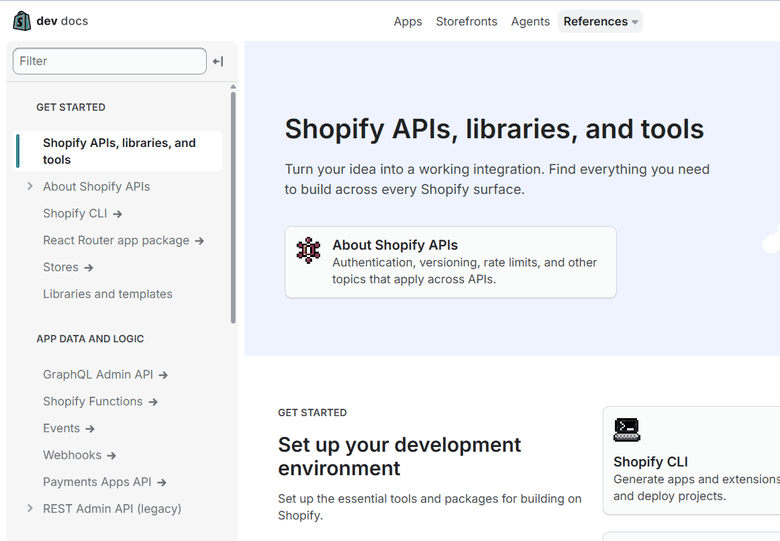
Shopify’s API documentation separates tools for reading and writing store data, app interfaces, webhooks, Shopify Functions, and more. Its Storefront API reference is specifically about custom customer experiences where products, collections, carts, and checkout need to work outside a standard theme.
You do not need to become a developer to interview one. Ask a practical question: “Would you solve this with theme code, an app, an API integration, or no code change at all?” The best answer explains the trade-off, not just the tool.
4. They protect performance before adding apps
A skilled developer treats every app and script as a trade-off. Apps can solve real problems, but each one can add JavaScript, affect theme rendering, change checkout behavior, or create conflicts after a theme update.
This is where weak developers overbuild. They add apps for pop-ups, reviews, bundles, upsells, search, subscriptions, tracking, and chat without checking cumulative load. A stronger developer asks whether the feature should be native Shopify configuration, theme code, an app, or a separate integration.
If the project includes SEO, category pages, product templates, or a migration, performance is not just a UX concern. It can affect crawlability and rankings. A serious rebuild should include the same discipline you would use in an ecommerce SEO audit: templates, internal links, structured data, indexable pages, and speed all get checked before launch.
5. They scope bug fixes and minor updates instead of promising unlimited support
The original draft was right to mention free bug fixes, but the better test is precision. Skilled Shopify developers do not say “unlimited changes” unless they want a dispute later. They define what counts as a launch bug, what counts as a minor content or styling update, and what becomes new paid scope.
A fair support window might include fixes for agreed requirements that do not work as specified, one or two small rounds of visual polish, and help with deployment issues. It should not include a new landing page, a new app setup, or a redesigned product template unless those were in scope.
Ask for the support language before signing. The answer should name the support window, response time, what is included, what is excluded, and whether emergency help is available after launch.
6. They communicate through milestones, not random status pings
Communication is not the same as being friendly on email. A skilled Shopify developer gives you a project rhythm: discovery, scope confirmation, design or theme plan, development, staging review, QA, launch, and handoff.
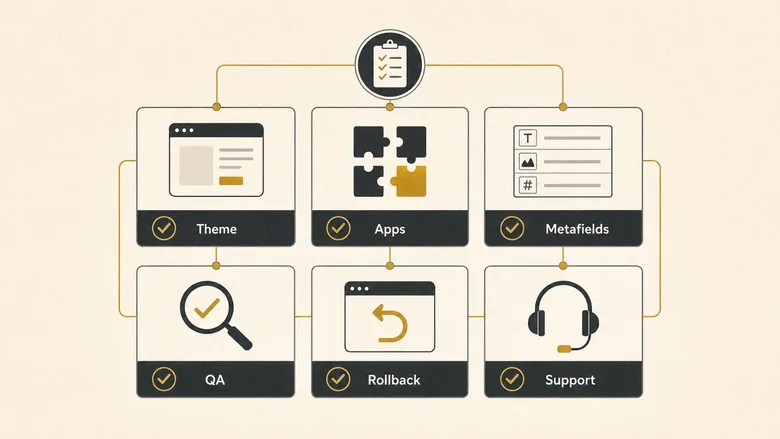
Each milestone should have an output. Discovery produces assumptions and risks. Development produces a staging link. QA produces a list of tested flows. Launch produces a rollback plan and access cleanup. If the developer cannot name the next checkpoint, the project is being managed in someone’s head.
For larger stores, ask who owns each side of the work. Your team may own product data, shipping rules, payment setup, analytics access, or app credentials. The developer may own theme code, template changes, redirects, and QA. A clean responsibility split prevents the painful launch-week question: “Who was supposed to do this?”
7. They hand off the store after launch
The strongest sign of a skilled developer is what happens after the store goes live. They leave documentation, explain what changed, clean up temporary access, show your team how to edit the new sections, and note any future risks.
Good handoff documentation does not need to be long. It should include theme name and version, apps added or removed, custom templates changed, metafields created, scripts installed, integrations touched, known limitations, rollback notes, and who to contact if something breaks.
If the store is part of a larger growth system, the handoff also needs business context. The developer should know whether the store supports repeat orders, wholesale accounts, multi-buyer workflows, or content-led acquisition. You can use strong B2B ecommerce examples as pattern references when you brief that context.
How much should you pay for Shopify development?
Shopify development cost depends on project scope, developer seniority, location, and whether you are hiring a freelancer, agency, or managed marketplace. Upwork’s July 2026 hiring guide lists typical Shopify developer rates at $15-$29 per hour and common project ranges from $500-$2,000 for theme customization to $5,000-$15,000+ for Shopify Plus setup (as of Q3 2026).
Those ranges are useful for calibration, not for choosing the cheapest quote. A $700 theme tweak can be fine when the work is narrow. A $700 migration quote should make you nervous if the store has years of orders, apps, redirects, analytics events, and custom product data.
The better question is: what risk does this project carry? A homepage refresh is mostly presentation risk. A checkout-adjacent change is revenue risk. A platform migration is SEO, data, and operational risk. When the risk rises, the proof bar should rise too.
PRO TIP
Ask every shortlisted developer for one paid discovery or test task before a large build. The task should prove how they think: review the theme, identify risks, estimate scope, or fix one contained issue. A cheap test is better than discovering communication problems halfway through a rebuild.
Freelancer, agency, or marketplace: which should you use?
The right hiring model depends on the job, not on whether freelancers or agencies are “better.” Use a freelancer when the work is narrow and technical ownership is easy to define. Use an agency when the project needs design, development, QA, project management, and post-launch coverage. Use a marketplace when you want faster access to vetted profiles and comparable rates.
- Use a freelancer for contained theme edits, bug fixes, small page templates, analytics snippets, and app configuration.
- Use an agency for new store builds, redesigns, migrations, Shopify Plus work, ERP/CRM connections, and conversion programs.
- Use a marketplace when you need to compare multiple profiles quickly, but still want your own vetting process.
- Avoid any option when the developer will not document scope, technical assumptions, ownership, and support terms.
If the project is really a platform decision, not just a developer hire, step back first. A Shopify specialist can execute well only if Shopify is the right system for your catalog, pricing, buyers, and integrations. The B2B ecommerce platform shortlist is the better starting point when that choice is still open.
Questions to ask before hiring a Shopify developer
Use the interview to test judgment, not confidence. Skilled Shopify developers should answer these questions with examples, caveats, and a clear next step.
- What type of Shopify work is this: theme, custom theme, app, integration, migration, or headless?
- Which live stores can I review, and what exactly did you build on each one?
- What would you solve with Liquid or theme code, and what would you solve with an app?
- Which parts of the project could affect site speed, checkout, SEO, analytics, or order flow?
- How do you use staging, backups, version control, and rollback plans?
- What does your QA checklist include before launch?
- What counts as a bug fix after launch, and what becomes a new paid request?
- Who owns product data, app credentials, domain settings, redirects, and analytics access?
- What documentation will you hand over after launch?
- What would make you recommend a different platform or scope?
The last question is the quiet trust test. A developer who can say “Shopify is not the right answer for that part” is usually safer than one who says yes to every request.
Frequently Asked Questions
As of Q3 2026, marketplace rates vary widely by scope and seniority. Upwork lists typical Shopify developer rates at $15-$29 per hour, while projects can range from small theme fixes to five-figure Shopify Plus work. Use rates only as a filter; scope risk matters more than hourly cost.
Shopify developers need Liquid, HTML/CSS, JavaScript, theme architecture, metafields, app setup, API basics, performance judgment, and QA discipline. More advanced projects may require Shopify Functions, Storefront API, webhooks, ERP or CRM integrations, migration planning, and headless commerce experience.
AI can help developers write snippets, audit code, draft tests, and move faster on repetitive work. It does not replace the judgment needed to scope a store, avoid app conflicts, protect checkout, test integrations, or decide when a business request should not become custom code.
Yes. You can hire through Shopify’s Partner Directory, freelance marketplaces, agencies, or referrals. The safer route is to define the project first, shortlist based on similar live work, run a paid discovery or test task, and sign only after scope, milestones, support, and ownership are clear.
Your first move
Do not start by asking, “Can you build this?” Start by writing a one-page brief that names the business goal, store type, must-have features, apps, integrations, launch date, budget range, and the risk you are most worried about.
Then ask each developer to classify the work, name the risks, and propose the first milestone. Skilled Shopify developers will make the project feel clearer before they make it feel exciting. That clarity is the sign you are hiring someone who can protect the store, not just decorate it.