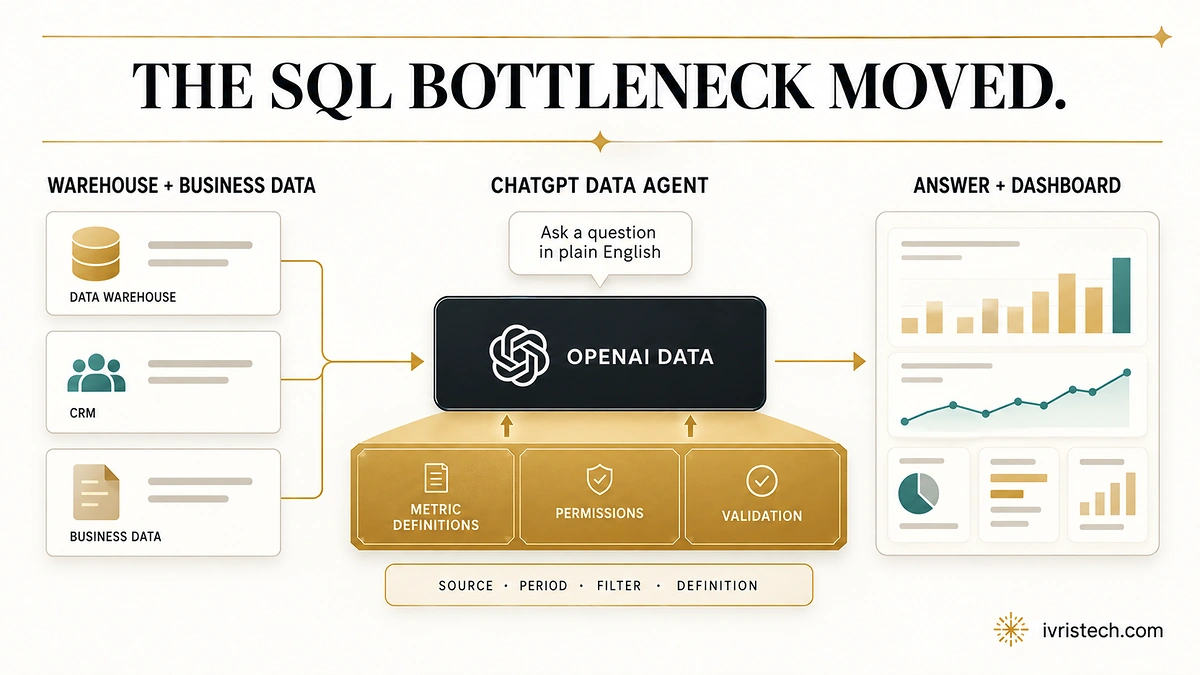
OpenAI launched the Data agent in ChatGPT Work on September 10, 2026, giving employees a conversational way to investigate approved company data and turn analysis into interactive dashboards. It supports sources including BigQuery, Databricks, Redshift, Snowflake, ClickHouse and MongoDB, plus connected documents from Google Drive and SharePoint.
The setup is more conditional than the launch headline suggests. OpenAI’s current Data plugin documentation says Data must be available in the user’s ChatGPT Work or Codex account or workspace, and the relevant source plugin and app must also be available. It also tells users to check the source, time period, filters and metric definition before relying on a result.
Our read: that validation instruction is the real RevOps story. Data agent reduces the SQL and dashboard-building bottleneck, but it does not remove the harder problem of deciding what ARR, pipeline, retention or sourced revenue means. Self-service analysis moves the control point from query access to metric definitions, semantic context, permissions and evidence that another operator can verify.
Direct answer — What changes for RevOps with ChatGPT Data agent?
ChatGPT Data agent makes company analysis easier to request, but decision quality still depends on the context underneath it. It can use business definitions, calculations and dataset relationships, while queries inherit connected-account permissions. For RevOps, the practical gate is not “Can it answer?” but “Which definition, source, filter and permission set produced this answer, and can we reconcile it?”
Key Takeaways
- OpenAI announced Data agent on September 10, 2026; users access it through the Data plugin in ChatGPT Work or Codex.
- OpenAI does not publish a universal Data-agent plan list in the current Help article. Access depends on plugin availability, workspace policy, source-app setup and authorization.
- Queries enforce the connected account’s existing table-, row- and column-level restrictions.
- OpenAI explicitly advises checking source, period, filters and metric definition before relying on an analysis.
What OpenAI Actually Shipped
Data agent is listed as Data in the Plugin Directory. A workspace administrator can control installation policy, make it available or pre-installed for roles or groups, and enable required source plugins. Installing Data does not itself grant source access; the underlying app may still require setup, authorization or workspace access.
Once connected, the agent can use business terms, metric definitions, custom calculations and relationships between datasets. OpenAI points to semantic layers and trusted context from sources such as dbt, Databricks Genie Ontology, Snowflake Horizon, GitHub and BI dashboards. Users can then refine an analysis conversationally and create dashboards they can edit, share and refresh.
That is distinct from the control problem IVRIS covered when ChatGPT Workspace Agents arrived in April. Then the central question was what an agent could do across apps. Data agent moves the control point upstream: what the business terms mean before the agent computes, visualizes or recommends anything.
The RevOps Bottleneck Is Now the Metric Contract
Natural-language analysis can remove a queue without creating a shared definition. Marketing may count an opportunity when a CRM object is created; finance may count it after a stage change; sales may exclude partner-sourced deals. An agent can execute each definition consistently and still produce different answers to the same question.
OpenAI’s own setup guidance reflects that risk. It strongly recommends a data warehouse plus a semantic layer with authoritative definitions and queries. Its Help page also says users should tell Data which definition or source to use when the organization has a preferred one. That makes the semantic layer an operating dependency, not decoration around the model.
For RevOps, every decision-grade metric therefore needs a small contract: the definition, owner, source, calculation, filters, effective date and comparison basis. Without that record, “the agent explained it” is not the same as “the team can reproduce it.”
Evidence Is Not the Same as End-to-End Lineage
OpenAI says users can review evidence behind findings, ask what supports a chart, and compare a result with an existing report. Those are useful validation hooks. The current launch post and Help article we reviewed do not promise a universal end-to-end lineage or audit layer reconstructing every source transformation, semantic definition, dashboard change and downstream action.
The same boundary applies to actions. Data can recommend next steps and work with connected BI tools, but available dashboard actions depend on the tool, its capabilities and the user’s access. Sharing through Slack or email and actions in connected tools depend on supported actions, permissions and applicable approvals. If a team publishes a dashboard through OpenAI Sites, the Help documentation also warns that the analysis data is copied into the published site.
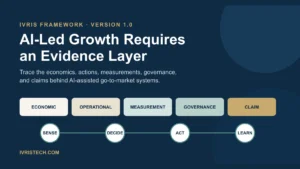
This is where a broader evidence layer becomes useful: the dashboard is an output, while measurement evidence records how the metric was defined and governance evidence records who could review, approve or change what happened next.
What RevOps Teams Should Gate Before Rollout
Lock the canonical definitions first. Pick the semantic source for the metrics that drive pipeline, budget and board reporting. Do not let each prompt decide which definition wins.
Require a reconciliation check for consequential answers. Before changing forecast, spend or account priority, capture the source, period, filters and metric definition and compare the result with the current trusted report. OpenAI recommends this when results differ.
Test permissions as users, not just as admins. Because Data inherits connected-account restrictions, run the same bounded question with representative roles and confirm that row-, column- and table-level visibility behaves as intended. A successful connection does not create additional source permissions.
Separate analysis permission from action and publishing permission. A user being allowed to inspect a metric should not automatically imply they can send the conclusion, trigger a connected-tool action or publish the underlying data to a wider audience. Review those destinations before approval.
The product makes analysis more accessible. The RevOps advantage will come from making the definitions and validation path just as accessible.
Frequently Asked Questions
OpenAI’s current Data plugin Help article does not give a universal plan roster. It says the Data plugin must be available in your ChatGPT Work or Codex account or workspace. General plugin availability can vary by plan, region, workspace, role and included capabilities, while administrators can further control installation and source access.
No. OpenAI says queries use the connected account’s existing permissions, including applicable table-, row- and column-level restrictions. Installing the Data plugin is separate from authorizing the underlying source app, so a connected service still controls what that account can access.
Yes. OpenAI documents creating, editing, sharing and refreshing interactive dashboards, plus working with connected BI tools such as Power BI, Tableau, Sigma, ThoughtSpot, Omni and Oracle BI. The exact actions available depend on each tool’s supported capabilities, the user’s access and workspace settings.
At minimum, verify the source, time period, filters and metric definition, then reconcile a consequential result with the team’s trusted report. For actions or published dashboards, also verify the user’s permission scope, destination, approval requirement and who owns the metric definition being used.