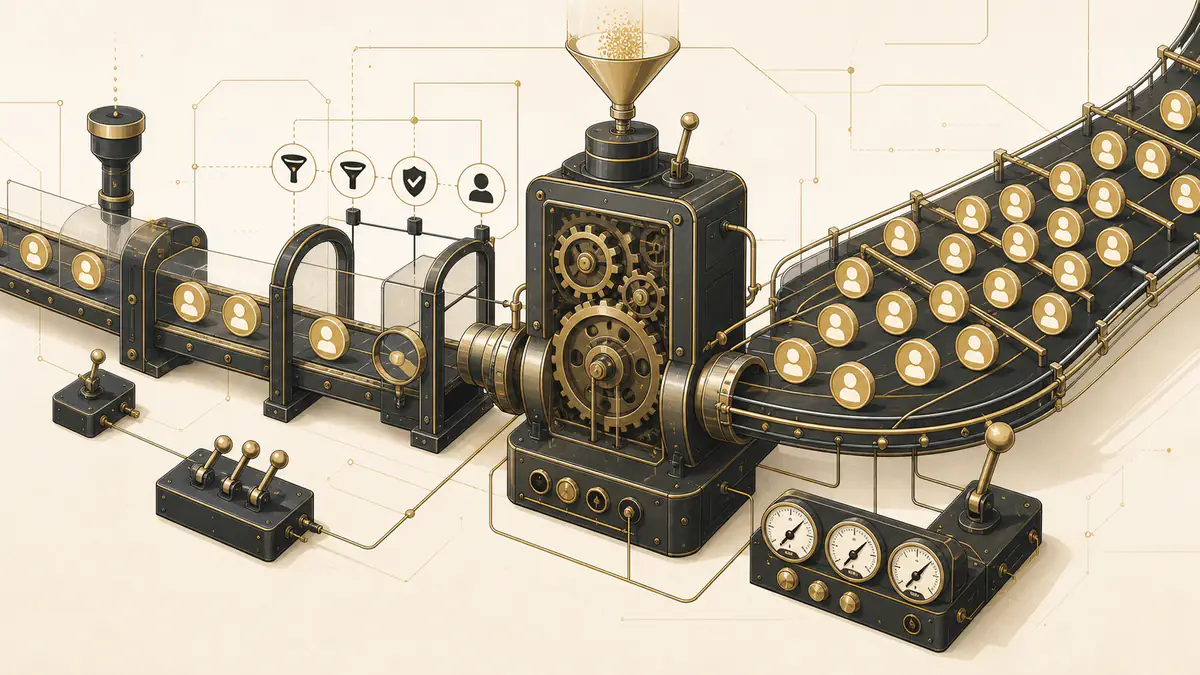
Most advice about sales pipeline automation starts with a list of tools. That is the wrong place to start. Automation is a multiplier, not a fix. Point it at a clean pipeline and good things compound: leads reach the right rep in seconds, follow-ups never slip, and the forecast reflects reality. Point it at a broken pipeline and you get the opposite at machine speed, with bad forecasts produced faster, wrong leads routed quicker, and dead records copied everywhere.
So the useful question is not “what can I automate?” It is “what is worth automating, what needs a guardrail, and what should a machine never touch?” This guide answers all three, stage by stage, and gives you a decision matrix and a readiness test you can run against your own pipeline before you switch anything on.
Direct answer — What is sales pipeline automation?
Sales pipeline automation uses CRM rules, triggers, and workflows to handle repeatable deal-movement tasks: capturing leads, routing them, creating follow-up tasks, logging activity, updating stages, and syncing data. It automates the process around a deal, not the selling itself. It does not fix a weak pipeline; it scales whatever process you already have, good or bad, which is why a stable, well-defined pipeline has to come first.
Key Takeaways
- Automation multiplies your process. A clean pipeline compounds gains; a broken one scales errors, so readiness comes before tooling.
- Three safe-to-automate categories cover most of the return: data capture and routing, follow-up and task creation, and activity logging.
- Stage progression, lead-score actions, and forecast weighting are worth automating only with a human checkpoint attached.
- Never automate discovery, objection handling, negotiation, or the final go/no-go call. Those depend on judgment a rule cannot hold.
- Run the readiness test first. Below the threshold, automation makes your existing problems harder to see, not smaller.
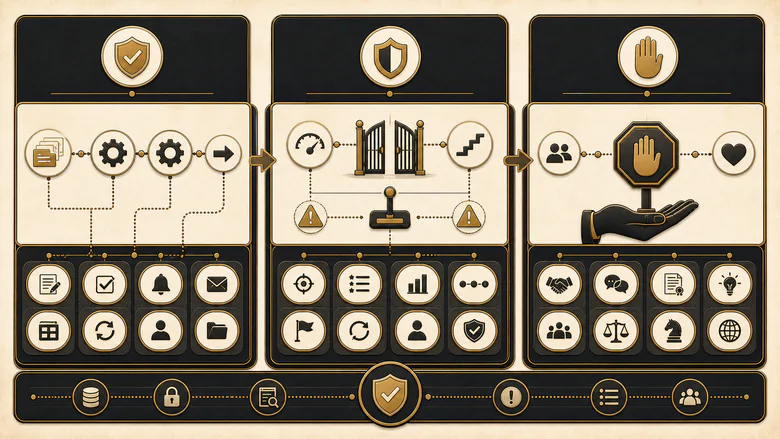
Here is the shape of the whole decision before the detail. Everything in your pipeline falls into one of three buckets.
| Verdict | The rule | Typical examples |
|---|---|---|
| Automate | Repeatable, rule-based, low-judgment. A machine does it more reliably than a person. | Lead capture, routing, follow-up reminders, activity logging |
| Automate with a guardrail | Repeatable but consequential. Automate the trigger, keep a human checkpoint on the decision. | Stage changes, lead-score actions, forecast weighting, quote generation |
| Never automate | Depends on listening, trust, and context. Automation removes the very thing that closes the deal. | Discovery, objection handling, negotiation, at-risk deal calls |
IMPORTANT
Automate when the task is repeatable and low-judgment. Add a guardrail when the task is repeatable but a wrong result is costly. Never automate when the outcome depends on reading a person in the moment. Get the verdict wrong in either direction and you either leave money on the table or scale a mistake.
What sales pipeline automation actually is (and what it is not)
Sales pipeline automation is the set of CRM rules and workflows that move a deal through its stages without a rep doing the manual admin at each step. It covers lead capture, assignment, task creation, reminders, stage updates, internal handoffs, and data sync between systems.
It is not the same as marketing automation, which nurtures contacts before they are sales-ready, and it is not a broad “sales automation” tool category that includes prospecting and outreach. Pipeline automation is narrower and more specific: it is about how an in-progress deal travels through your sales funnel and where that journey breaks. The recurring question behind every workflow is simple. How does pipeline information travel, where does it stall, and how do you know it is right?
That framing matters because it draws a clean line. The work of a deal splits into two halves: the administrative half (capturing, routing, logging, reminding, updating) and the human half (listening, advising, negotiating, deciding). Automation belongs to the first half. Reps spend far too much of their week in that first half by hand, and that is the waste worth removing.
The numbers back this up. HubSpot’s sales research finds reps spend only about two hours a day actually selling, while administrative work eats roughly another hour every day, and 81% of sales leaders say automation and AI could cut the time their teams lose to manual tasks (HubSpot sales statistics). Give reps those hours back and you have done the core job. Try to automate the selling itself and you break the deal.
Automation is also not a synonym for buying more tools. HubSpot finds 45% of sales professionals feel overwhelmed by how many tools already sit in their stack, and 29% think cutting that number would make them more efficient. Bolting another automation layer onto a crowded, disconnected stack usually adds friction, not speed. Fewer, cleaner workflows on one system of record beat more tools every time, which is why your CRM and its data model matter more than any single feature you could switch on.
The multiplier problem: automation scales whatever you point it at
The single most expensive mistake in pipeline automation is automating a process that is not stable yet. Automation does not judge whether a rule is good. It executes the rule faster, more often, and everywhere at once. That is exactly why a shaky pipeline gets worse, not better, the moment you automate it. The same rule governs headcount, because hiring a builder before the process is defined fails the same way: you get the mess encoded into automation instead of documented on a whiteboard.
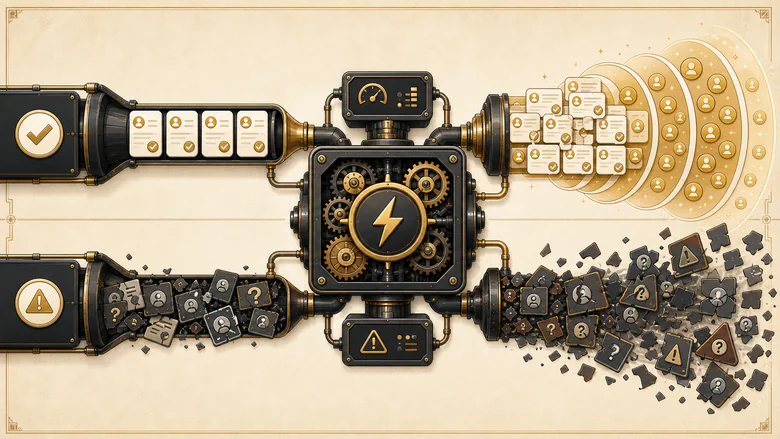
Start with data, because data is where most pipelines are already broken. B2B contact data decays at roughly 25% to 30% a year, so a 10,000-record database quietly loses two to three thousand usable contacts every twelve months. Poor data quality costs the average organization around $12.9 million a year, and reps waste close to 27% of their potential selling time chasing bad records, more than a full day a week on dead ends. Worse, about 60% of organizations do not measure the cost of their bad data at all, so they cannot see the leak (ZoomInfo, citing Gartner).
Now automate on top of that. Auto-routing sends leads to reps using stale territory and ownership data, so good leads land in the wrong inbox faster. Auto-emails fire against decayed contacts, so your sender reputation drops at scale. Stage automation advances deals on activity rather than real progress, so the forecast fills with opportunities that were never going to close. You have not fixed anything. You have multiplied the error rate and hidden it behind a clean-looking dashboard.
Picture it concretely. A team turns on stage automation that advances any opportunity with logged activity in the past week. Reps, sensing the rule, log a quick call on every stale deal to keep it alive. Within a quarter the pipeline looks full and the forecast looks strong, right up until the quarter closes at half the predicted number. The automation did exactly what it was told. It scaled a rule that rewarded activity over real progress, and it did so quietly.
This is the amplification trap, and it explains why so many automation projects disappoint. The tool worked perfectly. It faithfully scaled a broken process. The lesson is not “automate less.” It is “fix the process first, then let automation compound the fixed version.” A well-run revenue operations discipline treats readiness as the gate, not an afterthought.
Is your pipeline ready to automate?
Before you automate anything, score your pipeline against ten readiness checks. Each one you can honestly answer “yes” to is a point. The total tells you how much automation your process can safely carry.
- Your stages are defined by buyer actions (for example, “problem confirmed,” “budget approved”), not by rep activity.
- Every stage has a written entry rule and a written exit rule.
- Required fields are enforced at each stage, so records cannot advance half-empty.
- Duplicate and junk records are actively controlled, with dedupe running at capture.
- Ownership for every lead and deal is unambiguous at all times.
- Each handoff (SDR to AE, sales to customer success) is documented with a trigger and a required payload.
- You can name your top three pipeline leaks with data, not a hunch.
- Reps trust the CRM enough to forecast from it without a private spreadsheet.
- Lead source and attribution are captured cleanly on every record.
- You have one system of record, not three systems that disagree.
Score 8 to 10 and you can automate with confidence; your process is stable enough that automation compounds it. Score 5 to 7 and you should automate only the safe layer (capture, logging, reminders) while you fix the rest. Score 0 to 4 and you should stop: automation will scale the mess and make it harder to diagnose.
IMPORTANT
A low score is not a reason to avoid automation forever. It is a signal to spend the next month on stage definitions, ownership rules, and data hygiene, then re-score. Automating a 4 turns a visible problem into an invisible one.
What to automate first
Start automation with the repeatable, low-judgment tasks that a machine simply does better than a person. These deliver the fastest return and carry the least risk, and they are the same three categories in almost every high-performing pipeline.
Data capture and routing
Lead capture and routing is the first thing to automate, because the cost of doing it by hand is measured in lost deals. Every minute a new lead sits unrouted is a minute a competitor can reach them first. Contact a lead within five minutes of their inquiry instead of thirty and you are far more likely to qualify them; Harvard Business Review’s audit of thousands of firms found companies that responded within an hour were roughly seven times likelier to qualify a lead than those that waited even sixty minutes longer (Harvard Business Review). Automated capture and instant assignment is how you win that window. This is the mechanism behind speed-to-lead, and it only works when your lead routing rules sit on current ownership and territory data. Automate two things together here: the capture that writes the record and the validation that keeps it clean, so a fast lead never lands on the wrong rep because of a bad email or a duplicate account.
Follow-up and task creation
Automate the reminders and next-step tasks that keep deals from going quiet. A workflow that creates the right task at the right stage, and nudges the rep when a deal has gone cold, recovers opportunities that would otherwise die from simple neglect. The guardrail: tie follow-up to real stage logic and deal behavior, not to a blind time-based cadence that keeps emailing someone who already replied. The best follow-up automation reads deal signals, a stalled stage, an unopened proposal, a missed meeting, and creates the specific next task a good rep would have set anyway.
Activity logging
Automatic logging of emails, calls, and meetings is the cleanest win of all. It improves CRM data quality while removing the admin reps hate most, and it has almost no downside. Every logged interaction makes the next automation, and the forecast, more accurate. If you do nothing else this quarter, turn on activity capture. Cleaner activity data also makes the forecast more trustworthy, because the pipeline starts to reflect what actually happened rather than what a rep remembered to type in at the end of the week.
Notice the pattern. Each of these automates the work around the conversation, never the conversation. That is the line that keeps early automation safe.
What to automate only with guardrails
The middle tier is where teams get burned. These tasks are repeatable enough to automate, but a wrong result is expensive, so you automate the trigger and keep a human checkpoint on the decision.
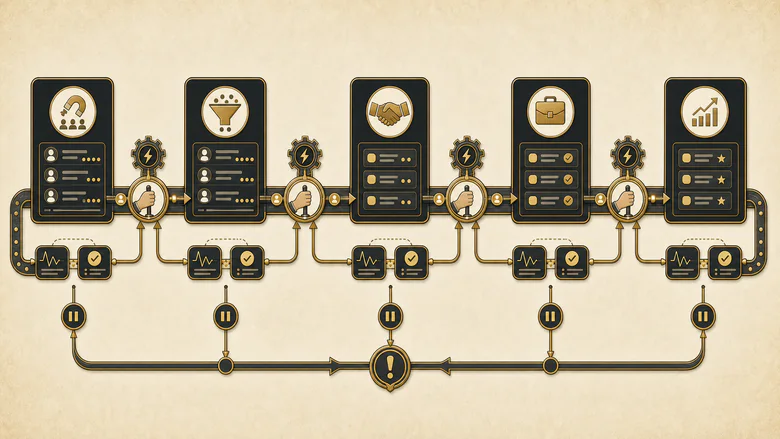
Stage progression. Automating deal-stage changes keeps the pipeline current, but only if the automation gates on genuine exit criteria being met, not on activity happening. If a deal advances because an email was sent rather than because the buyer confirmed a need, your forecast inflates with deals that were never real. The guardrail is a required-field or checklist gate at each stage boundary.
Lead-score actions. Automating what happens when a lead crosses a score threshold is fine, as long as a human confirms the important transitions. A bad scoring model simply routes bad leads to sales faster. Keep a person on the marketing-qualified to sales-accepted decision, and audit the model against real outcomes. The details of that model belong in your lead scoring rules, and the handoff itself is where the MQL to SQL boundary lives.
Forecast and probability weighting. Automatic probability by stage gives you consistent math, which is good, but only if the weights reflect real, tested stage definitions. Otherwise you get confident, precise, wrong numbers. Re-calibrate the weights against how deals actually convert each quarter.
Quote and proposal generation. Auto-generating a quote from deal data speeds turnaround, but a rep should review terms, discounting, and scope before anything reaches the buyer. Automate the draft, not the send.
The common thread: automate the trigger and the paperwork, keep the human on the judgment. Each of these mirrors a real lifecycle stage, and each stage transition is a decision worth watching.
What you should never automate
Some parts of a deal depend entirely on a person reading another person, and automating them removes the exact thing that wins the sale. These stay human, full stop.
Discovery and needs analysis. Discovery is listening for what a buyer will not say in a form. Automate it and you mistake a survey for a conversation, and you lose the context that shapes everything after.
Objection handling and negotiation. These run on trust, timing, and the ability to change course mid-sentence. A scripted or automated response to a live objection reads as exactly what it is and loses deals that a human would have saved.
At-risk and sensitive communication. When a deal is wobbling or a relationship is strained, an automated nudge at the wrong moment can end it. High-stakes messages are a human call, every time.
The final qualification and go/no-go judgment. The decision to invest real selling effort in a deal is where accountability lives. Automate it and you let the machine launder untested assumptions straight into the forecast, which is the amplification trap in its purest form.
PRO TIP
A quick test for the “never” list: if getting it wrong damages a relationship rather than just a record, keep a human on it. Records are recoverable. Trust is not.
The sales pipeline automation decision matrix
Put the three verdicts together and you get a working reference for your whole pipeline. Use it as a checklist: for each task, confirm the verdict, then make sure the guardrail in the last column is actually in place before you automate.
| Pipeline task | Verdict | Why | The guardrail or failure mode |
|---|---|---|---|
| New-lead capture and CRM entry | Automate | Removes entry lag; feeds the CRM instantly | Validate and dedupe at capture, or you scale dirty records |
| Lead routing and assignment | Automate | Speed-to-lead depends on an instant handoff | Log every assignment; a stale rule misroutes silently |
| Enrichment and dedupe at entry | Automate | Stops bad data at the door | Check match confidence; over-merging corrupts good records |
| Follow-up reminders and task creation | Automate | Nothing slips through the cracks | Tie to stage logic, not a blind time cadence |
| Activity logging (email, call, meeting) | Automate | Clean CRM data with zero rep effort | Low risk; a clear win to turn on first |
| Internal handoff notifications | Automate | Removes delay between SDR and AE | Send context, not just an alert with no payload |
| Templated first-touch outreach | Guardrail | Scales reach on repeatable openers | Personalize the opening; pure automation reads as spam |
| Stage progression | Guardrail | Keeps the pipeline current | Gate on exit criteria met, not on activity, or the forecast inflates |
| Lead-score threshold actions | Guardrail | Prioritizes hot leads quickly | A human confirms the MQL-to-SAL step; bad scores route bad leads faster |
| Forecast and probability weighting | Guardrail | Consistent, repeatable math | Weights must track real stage definitions, or you get confident wrong numbers |
| Quote and proposal generation | Guardrail | Faster turnaround from deal data | A rep reviews terms and scope before send |
| Discovery and needs analysis | Never | Depends on listening and judgment | Automating it mistakes a form for a conversation |
| Objection handling and negotiation | Never | Runs on trust, timing, and context | Scripted responses to live objections lose deals |
| At-risk and sensitive deal comms | Never | Relationship risk is too high | A mistimed automated nudge can kill the deal |
| Final qualification and go/no-go | Never | Human accountability for real effort | Automation launders untested assumptions into the forecast |
Cite this: IVRIS Tech, “Sales Pipeline Automation Decision Matrix” (2026), ivristech.com/sales-pipeline-automation. You are free to reproduce it with attribution.
The control points that make it hold
The guardrail column above is not decoration; it is the control layer that keeps automation honest across every row. Six systemic controls do most of the work. Write entry and exit criteria for every stage so progression automation has something real to gate on. Enforce required fields so records cannot advance empty. Run dedupe and enrichment at the point of capture so bad data never enters. Make ownership logic explicit so routing cannot go stray. Monitor for silent failures, the automation that quietly stopped firing, because a broken workflow rarely announces itself. And keep a review cadence with a clear owner, so every rule gets re-checked against outcomes rather than trusted forever.
How to roll it out without breaking your pipeline
Roll automation out one stage at a time, and pre-flight each stage before you switch it on. The teams that get burned automate everything at once and lose the ability to tell which rule caused which problem. The safe path is boring on purpose: audit, fix the data, automate one workflow with a guardrail, watch it, then expand only what holds.
Workflow · 2 hours
How to pre-flight a pipeline stage before you automate it
A two-hour audit that tells you whether a single pipeline stage is stable enough to hand to automation, before you turn on a single rule.
Write the stage’s entry and exit criteria
State in one sentence each what must be true for a deal to enter the stage and what must be true to leave it. If you cannot, the stage is not ready.
List and check the required fields
Name every field the stage depends on and mark which are actually enforced. Enforce the ones that are not before automating anything that reads them.
Trace one real deal through by hand
Walk a live opportunity through the stage manually and note every handoff, owner, and moment the data has to move. That path is what you are about to automate.
Run a data check on the stage’s records
Check the records entering the stage for duplicates and stale fields. Fix the data foundation now, because automation will faithfully scale whatever it finds.
Define the guardrail and the failure alert
Decide the human checkpoint and set an alert for when the automation stops firing or misfires. Turn the rule on only once both exist.
How to tell whether it is working
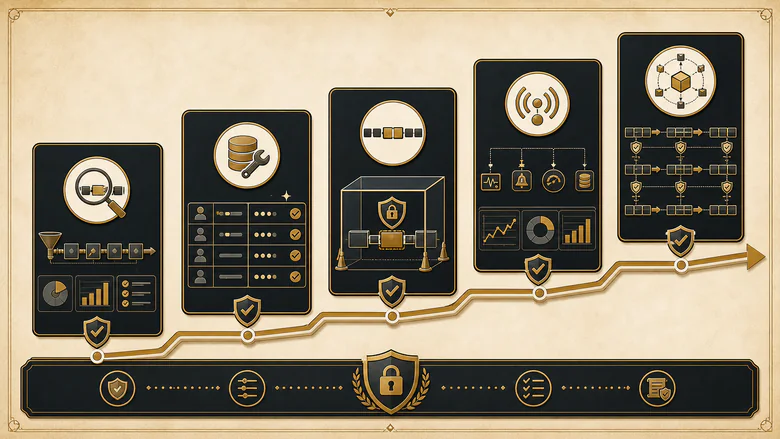
Watch four signals after each automation goes live, and read them together rather than one at a time. Lead response time should drop. Stage-to-stage conversion should hold or improve, not just move faster. Forecast accuracy should get closer to reality, which is the real proof that stage automation is honest. And data quality, measured by duplicate rate and field completeness, should improve rather than decay. If speed goes up while conversion or forecast accuracy falls, the automation is moving bad deals faster, and that is the amplification trap showing up in your numbers. Measure against your own baseline rather than a generic industry number; what matters is that conversion and forecast accuracy improve after you automate, not how you compare to an average. The specific benchmark math for conversion and velocity is a topic of its own, but the direction of travel is what tells you the rollout is safe to extend.
Frequently Asked Questions
It is the use of CRM rules and workflows to handle repeatable deal tasks: capturing leads, routing them, creating follow-up tasks, logging activity, updating stages, and syncing data. It automates the process around a deal, not the selling, and it scales whatever pipeline you already have.
Never automate discovery, objection handling, negotiation, sensitive or at-risk deal communication, and the final go/no-go qualification call. These depend on reading a person in the moment. Automating them removes the trust and context that actually close deals, and pushes untested assumptions into your forecast.
Start with lead capture and routing, follow-up reminders and task creation, and automatic activity logging. These are repeatable, low-judgment, and high-return, and they carry little risk. Each removes admin from reps without touching the conversation, which is the line that keeps early automation safe.
No. It replaces the administrative work around a deal, not the selling. Reps spend only about two hours a day actually selling; automation gives back the hours lost to data entry, routing, and logging so people can spend more time on discovery, objections, and negotiation, which stay human.
Most modern CRMs support rule-based pipeline automation, but the tool is rarely the constraint. Readiness is. If your stages, ownership rules, and data are not stable, no CRM will save you; automation will scale the mess. Fix the process first, then the CRM’s workflow engine compounds it.