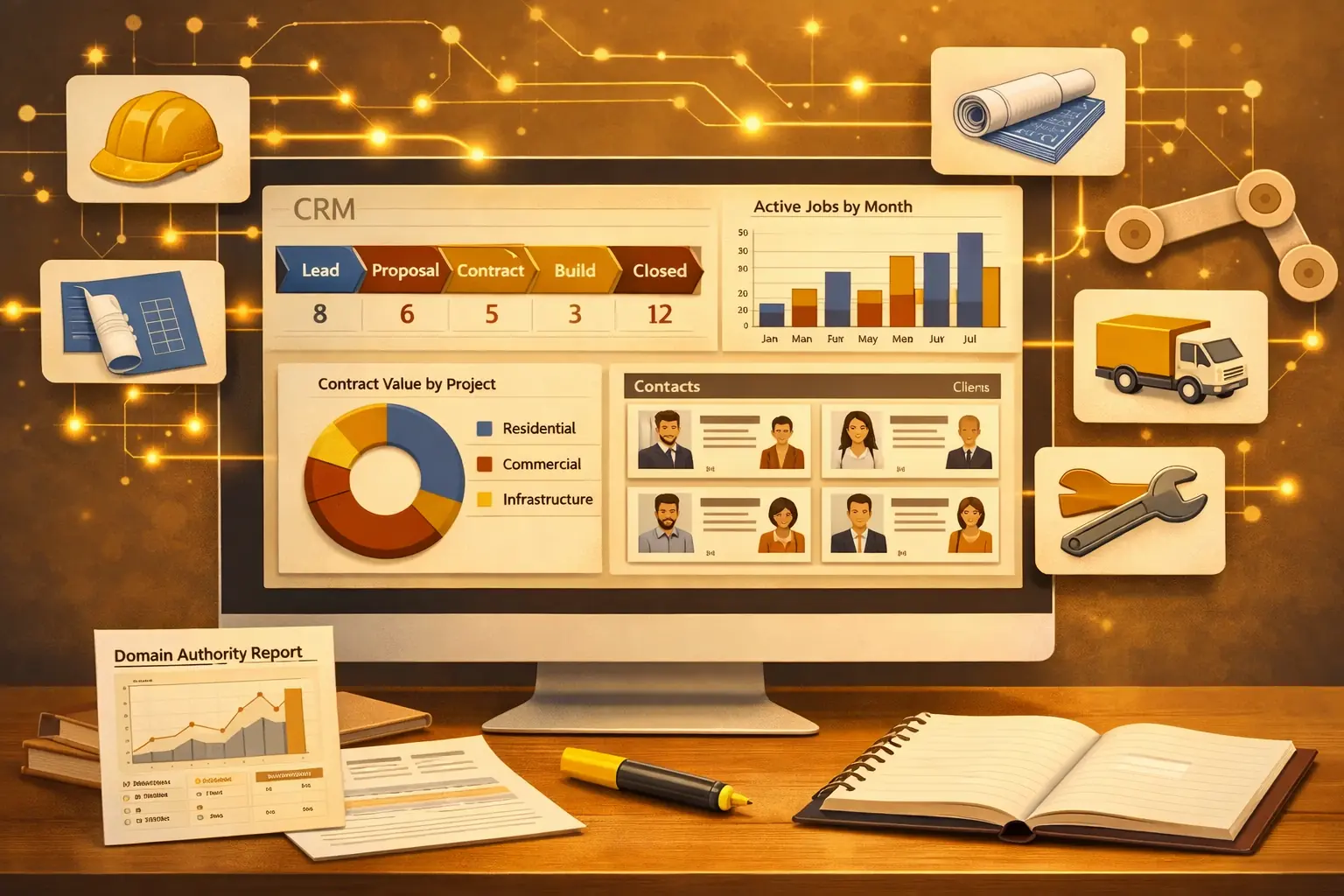
You’re running a small construction company. Leads come in from referrals, Google Ads, and yard signs. You track them on a whiteboard, a spreadsheet, and whatever your project manager happens to remember. Bids get sent late. Follow-ups get missed. A $40,000 kitchen remodel goes to the competitor who called back first.
This is the reality for most small construction businesses operating without a CRM. And it’s costing more than you think. The best CRM for a small construction business isn’t the most expensive or the most feature-rich. It’s the one your field crew will actually use, that handles the way construction sales work (bids, estimates, job scheduling), and that fits your budget without locking you into enterprise pricing.
We’ve evaluated CRMs across residential contractors, remodelers, specialty trades, and general contractors to find the seven best options in 2026. Each recommendation includes who it’s best for, key features, pricing, and honest limitations. Pricing data was verified against vendor websites and Capterra’s construction CRM directory.
Key Takeaways
- The best CRM for small construction businesses depends on whether you need sales pipeline management, project management, or both. Don’t pay for project management features if you already use a separate tool for that.
- HubSpot CRM offers the strongest free tier for construction startups. JobNimbus is the best construction-specific CRM for roofing and exterior trades. Pipedrive wins for pure sales pipeline management on a budget.
- Mobile functionality isn’t optional. Your team is in the field 80% of the time. If the CRM doesn’t work well on a phone, it won’t get used.
- Expect to pay $15-50 per user per month for a solid CRM. Construction-specific platforms like JobNimbus and Buildertrend cost more but replace multiple tools.
What to Look for in a Construction CRM
A CRM for a small construction business is software that centralizes your leads, bids, customer communications, and project status in one system. It replaces the scattered mix of spreadsheets, email threads, and sticky notes that most small contractors use to track their pipeline.
Before comparing platforms, define what you actually need. Construction CRMs fall into two camps: sales-focused CRMs (like Pipedrive and HubSpot) that prioritize lead tracking, follow-ups, and pipeline management, and construction-specific platforms (like JobNimbus and Buildertrend) that combine CRM with project management, scheduling, and invoicing. If you’re weighing general-purpose CRMs outside the construction niche, our CRM software examples roundup covers the mainstream options.
According to Monday.com’s construction CRM guide, 67% of large-scale contractors now integrate CRM into their workflows, and adoption is growing fastest among small and mid-sized firms.
Mobile Access That Works on Job Sites
Your team spends 80% of their time away from a desk. The CRM needs a mobile app that loads fast on spotty cell service, lets you log site visits, take photos, and update job status from anywhere. If mobile access requires a laptop and a VPN, your field crew won’t use it.
Bid and Estimate Tracking
Construction sales revolve around bids. You need to track which bids are out, when they’re due, who you quoted, and which ones converted. A good CRM lets you see your bid pipeline at a glance and sends reminders when follow-ups are overdue.
Contact Management Beyond Basic Contacts
Construction relationships are more complex than a standard CRM assumes. You manage homeowners, general contractors, subcontractors, suppliers, architects, and inspectors. The CRM should let you categorize contacts by role and link them to specific projects.
Integration with QuickBooks or Your Accounting System
Double-entering financial data is a common pain point for small construction businesses. A CRM that syncs with QuickBooks, Xero, or your existing accounting software eliminates manual data entry and keeps your numbers consistent.
Simple Onboarding
If the CRM takes six weeks to configure and requires a consultant to set up, it’s wrong for a small construction business. You need something your team can start using within a week, with minimal training beyond a 30-minute walkthrough.
Pricing That Scales With Your Team
Watch out for per-user pricing that makes sense for 3 people but becomes prohibitive at 10. Also check for hidden costs: some platforms charge extra for storage, integrations, or advanced reporting (as of 2026).
7 Best CRMs for Small Construction Businesses in 2026
1. HubSpot CRM — Best Free CRM for Construction Startups
HubSpot’s free tier is genuinely useful, not just a limited trial. You get unlimited users, contact management, deal pipeline tracking, email integration, and a mobile app at no cost. For a small construction business just moving from spreadsheets to a CRM, it’s the safest starting point. If a growing crew later outgrows that free tier and the paid jump stings, the cheaper CRMs worth switching to are worth a look before you commit to a HubSpot upgrade.
Why it works for construction: The visual deal pipeline is intuitive for tracking bids. The mobile app lets you log calls and emails from the field. Email templates save time on follow-up messages. You can capture leads directly from your website with built-in forms.
Pricing: Free tier with core features. Paid Starter plan at $20/user/month adds automation and custom properties (as of 2026).
Limitations: No construction-specific features. No built-in estimating, job scheduling, or document management. If you need project management alongside CRM, you’ll need a separate tool or a higher-priced HubSpot tier.
PRO TIP
Start with HubSpot’s free CRM even if you plan to upgrade later. It forces you to define your sales stages, clean your contact data, and establish follow-up habits before you invest in a paid platform. Most construction businesses that skip this step end up with an expensive tool full of messy data.
2. JobNimbus — Best for Roofing and Exterior Contractors
JobNimbus is built specifically for roofing, siding, gutter, and exterior contractors. It combines CRM with project management in a single platform, which means your sales pipeline and job progress live in the same system. The mobile app is particularly strong, letting field crews take photos, annotate them, capture signatures, and update job status in real time.
Why it works for construction: Kanban-style boards for tracking leads through the sales process. Photo documentation that’s tied directly to the job record. Built-in estimating and invoicing. Insurance claim tracking for storm damage work.
Pricing: Custom pricing only (request a quote). Industry reports suggest plans start around $25/user/month. No free tier.
Limitations: Best for exterior trades. Not ideal for general contractors managing complex commercial projects. Pricing isn’t transparent, which makes budgeting harder for small businesses.
3. Pipedrive — Best for Sales Pipeline Management on a Budget
If your primary need is tracking leads and closing more bids (not project management), Pipedrive delivers the clearest pipeline visibility at the lowest price point. The drag-and-drop interface makes it easy to move deals through stages, and the automation features help with follow-up sequences.
Why it works for construction: Visual pipeline shows every bid’s status at a glance. Activity reminders ensure follow-ups don’t slip. Custom fields let you track project type, square footage, and other construction-specific details. Integrates with QuickBooks and most email platforms.
Pricing: Starting at $15/user/month (Essential plan). Professional plan with automation at $29/user/month (as of 2026).
Limitations: No built-in project management, scheduling, or document storage. You’ll need separate tools for those functions. The construction-specific customization is up to you, unlike JobNimbus which comes pre-configured.
4. Buildertrend — Best All-in-One for Residential Builders and Remodelers
Buildertrend is a full construction management platform with CRM built in. If you want one tool to handle leads, estimates, project scheduling, client communication, financial tracking, and subcontractor management, Buildertrend is the most popular option for residential construction.
Why it works for construction: End-to-end workflow from lead capture to final invoice. Client portal keeps homeowners informed without constant phone calls. Selection management for custom home projects. Built-in scheduling with subcontractor notifications.
Pricing: Starting at $99/month for the Core plan (as of 2026). Not per-user pricing for the basic tier, which is better for larger teams.
Limitations: The CRM component is less sophisticated than dedicated CRM platforms. The learning curve is steeper because you’re adopting a full project management suite, not just a CRM. Overkill if you only need lead and bid tracking.
5. Zoho CRM — Best Budget Option With Room to Grow
Zoho CRM hits the sweet spot between price and functionality. The free tier covers up to 3 users, and paid plans start at $14/user/month. For construction businesses that want CRM basics (contact management, pipeline tracking, email integration) without construction-specific features, Zoho delivers more value per dollar than most alternatives.
Why it works for construction: Customizable fields and modules let you build construction-specific workflows. The Zoho ecosystem includes Projects (project management), Books (accounting), and Invoice (billing), all at affordable prices. Strong mobile app with offline access.
Pricing: Free for up to 3 users. Standard plan at $14/user/month. Professional plan at $23/user/month (as of 2026).
Limitations: Requires manual customization for construction use cases. No pre-built construction templates or workflows. The interface can feel overwhelming because of the sheer number of features and settings.
6. Jobber — Best for Small Service Contractors
Jobber is designed for field service businesses: HVAC, plumbing, electrical, landscaping, and similar trades that run multiple small jobs per day. If your construction business operates more like a service company (many small-to-medium jobs rather than a few large projects), Jobber’s workflow fits better than a traditional CRM.
Why it works for construction: Quote-to-invoice workflow in a single system. Online booking lets customers schedule directly. GPS tracking and route optimization for field crews. Automated customer follow-ups and review requests.
Pricing: Starting at $39/month for the Core plan (1 user). Connect plan at $119/month for up to 5 users (as of 2026).
Limitations: Not built for large project management. Limited customization compared to Zoho or HubSpot. The CRM features are basic compared to dedicated CRM platforms.
7. Monday.com — Best for Teams Already Using Project Management Software
If your team already uses Monday.com for project management, their CRM add-on keeps everything in one ecosystem. The visual board-based interface translates well to construction workflows, and the flexibility means you can build custom views for bids, jobs in progress, and completed projects.
Why it works for construction: Visual boards show project status, task ownership, and deadlines at a glance. Highly customizable without coding. Strong integrations with email, calendar, and accounting tools. Good mobile app for field updates.
Pricing: CRM plan starts at $12/user/month (minimum 3 seats). Pro plan at $24/user/month (as of 2026).
Limitations: Jack-of-all-trades, master of none. The CRM features are solid but not as deep as Pipedrive or HubSpot. No construction-specific features out of the box. Can become expensive as you add users and features.
How to Choose the Right CRM for Your Construction Business
Don’t start by comparing feature lists. Start by answering these three questions.
What’s your primary pain point? If it’s losing track of leads and bids, start with a sales-focused CRM (HubSpot free tier or Pipedrive). If it’s managing the full project lifecycle from lead to final payment, look at Buildertrend or JobNimbus. If it’s both, you need to decide whether one platform does both well enough or if you’re better off with two specialized tools.
What does your team actually use every day? If your crew already uses Monday.com, adding their CRM is the path of least resistance. If everyone lives in Gmail, HubSpot’s email integration is the strongest. Match the CRM to your existing habits rather than forcing new ones.
What’s your real budget? Calculate cost for your full team at year two, not just the introductory price for one user. A CRM that costs $15/user/month for 8 users over 12 months is $1,440/year. That’s a reasonable investment for any construction business doing $500K+ in revenue. Following the same B2B pricing evaluation approach you’d use for any software purchase will help you avoid surprises. If you’re just starting out, begin with HubSpot’s free tier and upgrade when your pipeline justifies the cost.
IMPORTANT
Every CRM on this list offers a free trial or free tier. Use it. Put real leads and real bids into the system for two weeks before committing. The best test isn’t whether it has the features you want on paper. It’s whether your team actually opens it every morning. The lead scoring framework you build will only work if the data gets entered consistently.
Frequently Asked Questions
The best CRM for construction companies depends on your business type and needs. For roofing and exterior contractors, JobNimbus is the strongest option because it’s built specifically for those trades. For residential builders and remodelers, Buildertrend offers the most complete all-in-one platform. For small construction businesses that just need lead and bid tracking, HubSpot’s free CRM or Pipedrive ($15/user/month) provide the best value without construction-specific complexity.
For any small business, including construction, HubSpot CRM’s free tier is the best starting point. It offers unlimited users, contact management, deal tracking, and email integration at no cost. If you need more automation and customization, Pipedrive and Zoho CRM are the strongest paid options under $20/user/month. The key is choosing a CRM your team will actually adopt, which means prioritizing ease of use over feature count.
Yes, Zoho CRM offers a free plan for up to 3 users that includes lead and contact management, deal tracking, tasks, and basic reporting. For most sole proprietors and very small construction teams, this free tier covers the essentials. Paid plans start at $14/user/month for the Standard tier, which adds scoring rules, workflows, and custom dashboards.
Yes, and many small construction businesses should. General-purpose CRMs like HubSpot, Pipedrive, and Zoho are simpler, cheaper, and often easier to adopt than construction-specific platforms. The trade-off is customization effort: you’ll need to set up your own fields for project type, bid status, and trade category. Construction-specific CRMs come pre-configured for these workflows, but at a higher price and steeper learning curve.
Pricing ranges from free (HubSpot, Zoho free tier) to $100+/month (Buildertrend). Most small construction businesses land in the $15-50/user/month range with platforms like Pipedrive, Zoho, or Jobber. Construction-specific platforms like JobNimbus and Buildertrend cost more but replace separate project management and invoicing tools. Calculate total cost including all users, add-ons, and integrations before comparing (all prices as of 2026).