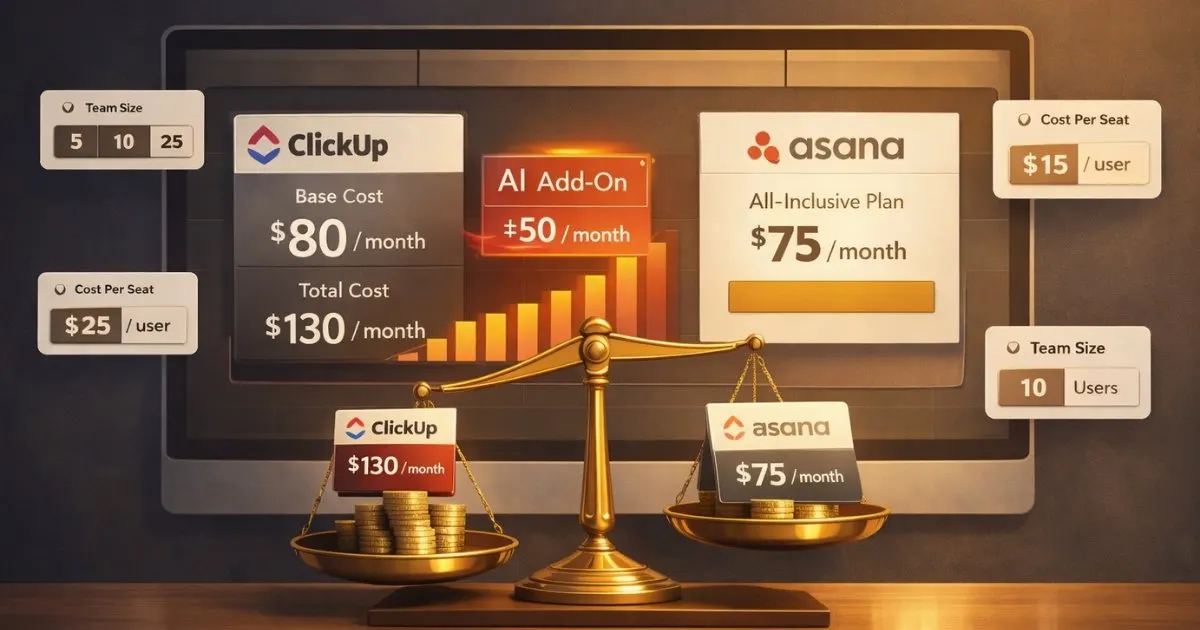
ClickUp wants to replace every app your team uses. Asana wants to be the one project management tool you never outgrow. That philosophical split shapes everything from pricing to daily usability, and it’s why teams that pick the wrong one end up migrating within a year.
We’ve used both platforms to manage content calendars, product launches, and cross-team marketing campaigns. The short answer: ClickUp wins on features and price. Asana wins on speed, clarity, and team adoption. The right choice depends on whether your team needs more power or less friction.
This comparison covers features, pricing (as of 2026), AI capabilities, ease of use, and the specific scenarios where each tool is the clear winner. We also include Monday.com throughout because most teams evaluating ClickUp and Asana are also considering it.
Key Takeaways
- ClickUp offers more features at a lower price ($7/user/month vs. $10.99/user/month), but comes with a steeper learning curve that can slow adoption.
- Asana includes AI in all paid plans at no extra cost. ClickUp charges $9/user/month for AI (Brain) on top of your plan, which can double your effective cost.
- Asana is the better fit for marketing, creative, and operations teams that value fast onboarding and clean project visibility.
- ClickUp is the better fit for technical teams, agencies, and startups that need an all-in-one workspace and don’t mind configuration time.
- Both offer free plans, but ClickUp’s is more generous (unlimited users vs. Asana’s cap). Test both with your actual workflows before committing.
ClickUp vs Asana: Quick Comparison
| Feature | ClickUp | Asana |
|---|---|---|
| Best for | All-in-one workspace, technical teams | Focused PM, marketing and ops teams |
| Starting price (paid) | $7/user/month (annual) | $10.99/user/month (annual) |
| Free plan users | Unlimited | Up to 10 (limited features) |
| AI included in paid plans | No ($9/user/month add-on) | Yes (AI Studio Basic on all paid plans) |
| Project views | 15+ (List, Board, Gantt, Mind Map, etc.) | 4 core (List, Board, Timeline, Calendar) |
| Built-in time tracking | Yes (all plans) | Advanced plan only ($24.99/user/month) |
| Automation limit (entry plan) | 100/month (free), 1,000/month (Unlimited) | Unlimited (Starter plan) |
| Ease of use | Steep learning curve | Intuitive, fast onboarding |
| Built-in docs | Yes | No (integrates with Google Docs, Notion) |
| G2 rating | 4.7/5 | 4.4/5 |
What Is ClickUp?
ClickUp is an all-in-one productivity platform launched in 2017 that combines project management, documents, goals, whiteboards, chat, and time tracking into a single workspace. It’s designed to replace multiple tools with one platform, which appeals to teams tired of switching between Asana, Notion, Slack, and Google Docs throughout the day.
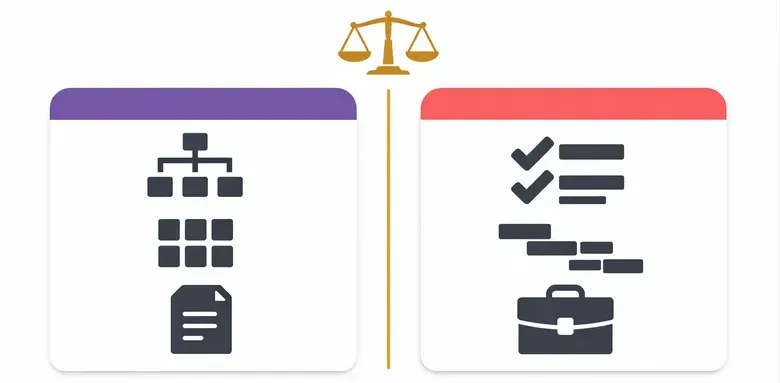
The platform offers 15+ project views (including List, Board, Gantt, Table, Mind Map, and Workload), deep customization through custom fields and statuses, and a generous free tier with unlimited users and tasks. Major users include Paramount, Logitech, AT&T, and Cartoon Network.
The trade-off: ClickUp’s feature density creates a steeper learning curve. Teams frequently report needing two to four weeks to get comfortable, compared to hours with simpler tools. Performance can also lag in heavily customized workspaces with many automations running simultaneously.
What Is Asana?
Asana is a project management platform founded in 2008 by Facebook co-founder Dustin Moskovitz. Unlike ClickUp’s “replace everything” approach, Asana focuses specifically on project and work management, doing fewer things but doing them exceptionally well.
The platform excels at task clarity, dependency management, and cross-team visibility through features like Portfolios, Goals, and Workload views. Its interface is consistently praised as one of the cleanest in the PM space, which makes onboarding fast and team adoption high. Major users include Spotify, Uber, Amazon, and HelloFresh.
The trade-off: Asana costs more per user than ClickUp at every comparable tier, and features like time tracking and advanced reporting require the $24.99/month Advanced plan. If you need built-in docs, whiteboards, or chat, you’ll need to integrate separate tools.
Features Compared: Where Each Tool Wins
Task Management
Both platforms handle the basics well: assignees, due dates, subtasks, priorities, and comments. ClickUp goes deeper with nested subtasks (tasks within tasks within tasks), multiple assignees, and fully custom task statuses. Asana keeps it cleaner with Sections and Milestones that make project phases easy to scan at a glance.

Our take: ClickUp gives you more control over task structure. Asana gives you faster clarity on task status. For B2B marketing teams running campaigns with clear phases, Asana’s section-based approach is more intuitive. For development teams with complex, nested deliverables, ClickUp’s hierarchy makes more sense.
Project Views
ClickUp offers 15+ views: List, Board, Calendar, Gantt, Table, Workload, Mind Map, Activity, Map, Box, Doc, Form, Whiteboard, and more. Asana covers four core views: List, Board, Timeline (Gantt-style), and Calendar. Timeline is only available on paid plans.
More views doesn’t always mean better. Most teams regularly use two or three views. But if your workflow requires visualizing tasks as a mind map, a table, and a Gantt chart in the same project, only ClickUp can do that natively.
Automation
This is where the comparison gets interesting. Asana’s Starter plan ($10.99/user/month) includes unlimited automations. ClickUp’s comparable Unlimited plan ($7/user/month) caps automations at 1,000 per month.
For small teams with light automation, ClickUp’s cap is fine. But teams running 50+ automation rules across projects (auto-assigning tasks, updating statuses, triggering notifications, creating follow-up tasks) can hit ClickUp’s ceiling quickly. If automation is core to your workflow, Asana’s unlimited policy at a lower total cost of ownership is a meaningful advantage.
PRO TIP
Before choosing based on automation limits, count your current automation rules. If you run fewer than 30 active rules, ClickUp’s 1,000/month cap won’t affect you. If you run 50+, do the math on Asana’s unlimited policy vs. ClickUp’s upgrade path.
AI Features
This is the biggest pricing differentiator in 2026. Asana includes AI Studio Basic in all paid plans at no extra cost. AI features include smart task summaries, automated status updates, AI-generated project structures, and AI Teammates (autonomous collaborators in beta) that can be assigned tasks like any team member.
ClickUp’s AI (called Brain) is a separate add-on at $9/user/month on top of your plan cost. Brain offers workspace-wide search, an AI notetaker, talk-to-text, and access to multiple AI models. It’s more capable than Asana’s AI in raw functionality, but the cost adds up fast. You can see the full breakdown on ClickUp’s Brain page.
For a 10-person team wanting AI: Asana Starter costs $110/month total. ClickUp Unlimited + Brain costs $160/month. That’s a 45% premium for ClickUp’s AI, and the gap widens with larger teams.
Integrations
Both tools integrate with the major platforms. Asana connects with 200+ apps including Slack, Google Workspace, Microsoft Teams, Salesforce, and HubSpot. ClickUp offers 1,000+ integrations plus native alternatives for many tools (built-in docs instead of Google Docs, built-in chat instead of Slack).
Asana’s integration philosophy is “connect to what you already use.” ClickUp’s philosophy is “we’ll build our own version so you don’t need to connect.” If your team already has a tool stack they love, Asana fits in more cleanly. If you want to consolidate, ClickUp’s native features reduce the number of subscriptions.
Reporting and Dashboards
ClickUp includes dashboards on all paid plans with 50+ widget types. You can build custom dashboards showing time tracking data, task progress, sprint velocity, and workload across teams. Asana limits reporting features by tier: Starter gets basic dashboards, while Portfolios, Goals, and advanced reporting require the $24.99/month Advanced plan.
For teams that need to report on marketing metrics alongside project progress, ClickUp’s dashboard flexibility at the lower price point is a clear win.
Pricing Breakdown (2026)
Pricing is where ClickUp looks cheaper on paper but the story gets complicated with AI add-ons. All prices below are per user, per month, billed annually (as of 2026). Verify current pricing on ClickUp’s pricing page and Asana’s pricing page before committing.
| Plan | ClickUp | Asana |
|---|---|---|
| Free | $0 (unlimited users) | $0 (up to 10 users) |
| Entry paid | $7/user/month (Unlimited) | $10.99/user/month (Starter) |
| Mid-tier | $12/user/month (Business) | $24.99/user/month (Advanced) |
| Enterprise | Contact sales | Contact sales |
| AI add-on | $9/user/month (Brain) | Included in all paid plans |
The Real Cost With AI
When you factor in AI (which most teams want in 2026), the pricing gap shrinks dramatically or reverses:
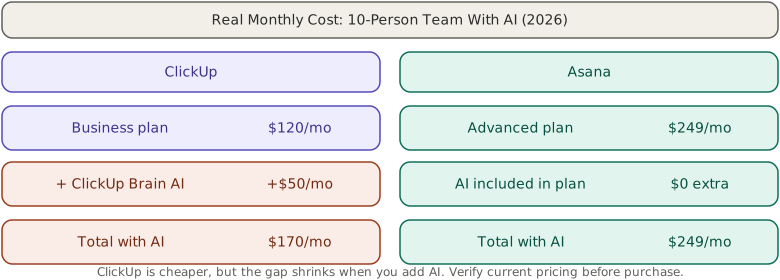
| Scenario (10 users, annual) | ClickUp | Asana |
|---|---|---|
| Entry plan, no AI | $70/month | $110/month |
| Entry plan + AI | $160/month | $110/month (AI included) |
| Mid-tier + AI | $210/month | $250/month |
At the entry tier with AI, Asana is $50/month cheaper for a 10-person team. At the mid-tier with AI, ClickUp is $40/month cheaper. Your real cost depends on which tier you need and whether AI is a requirement.
IMPORTANT
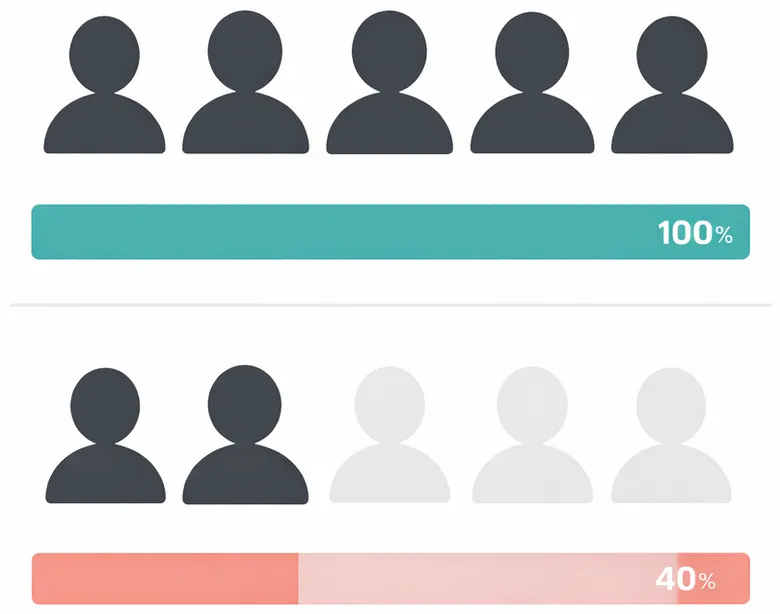
Both platforms charge per user per month and auto-renew annually. ClickUp’s AI (Brain) is billed per paid user seat, not per actual AI user. If only 3 of your 10 team members use AI, you still pay for all 10. Verify your actual AI usage before committing to the add-on.
Ease of Use: Asana Wins Clearly
This isn’t subjective. Asana consistently outperforms ClickUp on onboarding speed across every comparison, user review site, and team survey we’ve seen. Based on G2 reviews from thousands of users, Asana scores higher on ease of use while ClickUp scores higher on feature richness. New users can create a project, add tasks, assign them, and set deadlines within minutes of signing up. ClickUp users typically report needing days or weeks to feel productive.
The reason: ClickUp’s depth creates complexity. Choosing between 15+ views, configuring custom statuses, and navigating nested task hierarchies takes time. Asana’s opinionated design makes decisions for you. There’s less to configure, which means less to learn.
For teams with mixed technical abilities (marketing, sales, operations, executives all in the same workspace), Asana’s lower adoption barrier is a significant advantage. A tool nobody uses because it’s too complex has zero ROI regardless of how many features it has.
When to Choose ClickUp
ClickUp is the better choice when your team matches these criteria:
- You want to consolidate tools. ClickUp’s built-in docs, chat, whiteboards, goals, and time tracking can replace 3-4 separate subscriptions. If you’re currently paying for Asana + Notion + Toggl + Slack, ClickUp might save you money even at a higher per-seat cost.
- You’re a technical or development team. ClickUp’s sprint management, custom task types, Git integration, and nested subtask hierarchy align well with engineering workflows.
- You’re budget-conscious and don’t need AI. At $7/user/month with no AI add-on, ClickUp is the cheapest full-featured PM tool on the market. The free plan alone (unlimited users, unlimited tasks) covers many startup needs.
- You’re an agency managing multiple clients. ClickUp’s Spaces and Folders create clean client separation, and custom views let you track deliverables, time, and budgets across accounts.
- You need advanced views. If your team needs mind maps, Gantt charts, workload views, and table views in the same project, ClickUp’s 15+ views are unmatched.
When to Choose Asana
Asana is the better choice when your team matches these criteria:
- Team adoption is your biggest concern. If past tool rollouts have failed because the team didn’t use the tool, Asana’s clean interface and fast onboarding solve the adoption problem. This is especially true for non-technical teams.
- You’re a marketing or operations team. Asana’s campaign management templates, approval workflows, and creative request features are built for marketing operations. The dependency tracking and Milestones feature handles structured, sequential workflows like product launches and event planning well.
- You want AI without paying extra. With AI Studio Basic included in all paid plans, Asana gives you AI task summaries, smart project creation, and automated workflows at no additional cost.
- You need portfolio-level visibility. Asana’s Portfolios and Goals features (Advanced plan) provide a clear top-down view of how projects connect to business objectives. Combined with OKR tracking, it’s useful for teams running marketing frameworks that require goal alignment.
- You already have a tool stack. If your team uses Slack, Google Drive, Salesforce, and Figma, Asana integrates with all of them cleanly. You keep the tools you know; Asana handles the project layer.
What About Monday.com?
Most teams evaluating ClickUp and Asana also look at Monday.com. Here’s where it fits:
Monday.com sits between ClickUp and Asana in philosophy. It’s more visual and dashboard-oriented than Asana, and easier to learn than ClickUp. Its strength is cross-team visibility through customizable dashboards and its Work OS approach that extends beyond PM into CRM, HR, and operations.
Choose Monday.com if: you prioritize visual dashboards, need cross-department visibility, or plan to use the tool beyond project management (its CRM and operations templates are strong). Monday’s pricing starts at $9/seat/month (Basic) and $12/seat/month (Standard), which places it between ClickUp and Asana on cost.
For a deeper look at how automation tools integrate with your PM stack, see our n8n vs Make vs Zapier comparison.
Migration Tips: Switching Between Tools
If you’re moving from one platform to the other, both tools offer import features, but the process has caveats:
- Asana → ClickUp: ClickUp has a built-in Asana importer that pulls tasks, projects, sections, assignees, and due dates. Custom fields and automations don’t transfer. Budget one to two weeks for cleanup and reconfiguration.
- ClickUp → Asana: Asana accepts CSV imports but has no native ClickUp importer. You’ll export from ClickUp, clean the CSV, then import. Nested subtasks flatten during the transfer. Budget two to three weeks.
- Start with a pilot. Migrate one team or project first. Run both tools in parallel for two weeks. Gather feedback before committing to a full migration.
Our Verdict
There’s no universal winner. The right choice depends on your team’s profile:
Choose ClickUp if you want maximum features per dollar, need tool consolidation, and have the patience for a steeper setup. Best for dev teams, agencies, and budget-conscious startups.
Choose Asana if you want fast adoption, clean project visibility, and AI included in your plan. Best for marketing teams, operations teams, and organizations where tool adoption has historically been a challenge.
Both platforms offer free plans. Sign up for both, run your real workflows for a week, and let your team vote. The tool that gets used is the tool that wins.
Frequently Asked Questions
It depends on your needs. Asana is better for teams that prioritize ease of use and fast adoption. Monday.com is better for visual, dashboard-heavy workflows. Notion is better if you need a docs-first workspace. ClickUp’s strength is all-in-one consolidation at a low price, so alternatives are typically better in one specific area but narrower overall.
ClickUp’s popularity comes from its generous free plan (unlimited users and tasks), low paid pricing ($7/user/month), and feature breadth that replaces multiple tools. It appeals to startups and technical teams that want one platform for tasks, docs, goals, and time tracking instead of paying for four separate subscriptions.
ClickUp is better if you need more features at a lower price and don’t mind a learning curve. Monday.com is better for visual workflows and cross-department dashboards. Jira is better for software development teams. Asana’s advantage is its clean interface and structured project management that teams actually adopt and use consistently.
Trello is best for simple Kanban workflows and tiny teams. Asana is best for structured project management with fast adoption. Monday.com is best for visual dashboards and cross-team visibility. ClickUp is best for teams wanting maximum features in one platform. Most mid-market B2B teams narrow the choice to Asana or ClickUp based on whether they prioritize simplicity or feature depth.
Asana is generally better for marketing teams. Its campaign templates, approval workflows, and clean interface are built for marketing operations. Asana’s Portfolios feature gives marketing leaders visibility across multiple campaigns. ClickUp can work for marketing but requires more setup time and discipline to keep organized.