Updated Q3 2026 with current pricing models, CRM integrations, and a downloadable vendor scorecard.
Every B2B team pays for dirty data, whether or not it ever buys a cleanup. Reps waste hours on dead numbers, campaigns hit bounced inboxes, and a forecast quietly bends around duplicate accounts nobody merged. The bill is bigger than most leaders think: MIT Sloan researchers put the cost of bad data at 15% to 25% of revenue for most companies.
That’s the gap data cleansing services are sold to close. Search the term, though, and you get vendor landing pages and “10 best” lists, with very little on what the work actually involves, what it should cost, or how to pick a provider. This guide covers all three, plus a free scorecard and cost calculator you can use to brief vendors and pressure-test their quotes.
Direct answer — What are data cleansing services?
Data cleansing services find and fix errors, duplicates, and outdated records in a database or CRM so the data is accurate, consistent, and safe to act on. The work spans five jobs: deduplication, standardization, validation, enrichment, and ongoing monitoring. Providers price it per record, as a monthly subscription, or as a fixed project. Cleansing corrects existing data; enrichment, which is often bought alongside it, adds new fields.
Key Takeaways
- Cleansing corrects; enrichment appends. The two are different jobs that are usually bought together.
- Bad data is a revenue problem, not an IT chore. MIT Sloan estimates it costs 15% to 25% of revenue.
- Pricing follows four models: per record, software subscription, managed service, or one-time project.
- In B2B, dirty CRM data breaks routing, matching, deduplication, and attribution long before anyone spots it.
- Audit first, buy second. Measure completeness, duplicates, validity, and staleness so you pay only for the cleansing you need.
What data cleansing services do
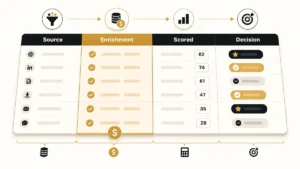
Data cleansing services are outsourced or software-driven programs that find and correct inaccurate, incomplete, duplicate, or outdated records so a database becomes reliable enough to act on. “Data scrubbing” is the same thing under a different name. Whatever the label, good providers do five distinct jobs, and it’s worth knowing which ones you actually need before you pay for a full sweep.
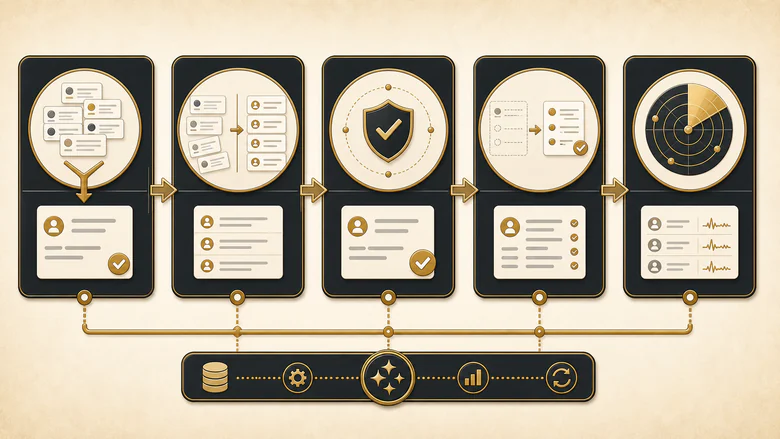
| Operation | What it fixes | CRM example |
|---|---|---|
| Deduplication | Merges records that describe the same person or company | Two “Acme Corp” accounts collapsed into one master record |
| Standardization | Forces one format for names, addresses, phone numbers, and titles | “VP Mktg” and “V.P. Marketing” both become “VP, Marketing” |
| Validation | Checks email, phone, and postal data against live directories | A hard-bouncing email is flagged before the next send |
| Enrichment | Fills missing fields from trusted third-party sources | Industry and employee count added to a bare inbound lead |
| Monitoring | Catches new errors continuously instead of once | A job change is flagged so the contact doesn’t silently rot |
Deduplication is where most projects start, because duplicates quietly corrupt everything downstream: reporting, routing, and account ownership. It’s also the hardest job to do safely, since a careless merge destroys history. The mechanics of survivorship rules and match logic are their own discipline, which is why merging duplicate leads without losing the fields that matter deserves a dedicated process rather than a one-click button.
Enrichment sits at the other end. It doesn’t correct what’s there; it adds what’s missing, usually firmographic and technographic fields that sales and routing depend on. If your gaps are mostly empty fields rather than wrong ones, start by understanding which firmographic and technographic signals are worth appending before you buy a full cleanse you don’t need.
Data cleansing vs scrubbing, enrichment, and validation
Data cleansing and data scrubbing mean the same thing, and vendors use the terms interchangeably. The words that genuinely describe different work are validation, deduplication, standardization, and enrichment. Validation is really a gate: applying clear lead validation criteria at the point of entry rejects bad records before they land, which costs far less than cleansing them later. Buyers get overcharged when a provider bundles all of them under “cleansing” and can’t tell which line items solve their actual problem.
| Term | What it means | Fixes or adds? |
|---|---|---|
| Data cleansing / scrubbing | Correcting or removing bad records | Fixes existing data |
| Data validation | Checking records against rules or live directories | Verifies existing data |
| Deduplication | Finding and merging duplicate records | Fixes existing data |
| Data standardization | Normalizing formats and values | Fixes existing data |
| Data enrichment | Appending new fields from outside sources | Adds new data |
The distinction that trips people up is cleansing versus enrichment. Cleansing makes your existing records trustworthy; enrichment makes them more complete. You can cleanse without enriching, but enriching dirty data just adds good fields to a broken record. If your CRM is more empty than wrong, the smarter first move is a targeted append, and our guide to closing firmographic gaps without inflating your database walks through when enrichment earns its cost.
Why CRM data decays, and what breaks when it does
CRM data cleansing matters because B2B records rot faster than almost any other data you own. People change jobs, companies rebrand and get acquired, and every manual entry adds a typo. Published decay rates are not comparable with one another, and the figures in circulation run from 22.5% to 70.3% a year because they count different fields over different windows; our CRM data decay statistics page reconciles them source by source. What is not in dispute is how much of a database is wrong at any given moment. Experian’s data-quality research measures that stock rather than a rate: organizations themselves suspect thataround a third of their data is inaccurate.
Bad data isn’t a tidiness problem. MIT Sloan estimates it drains 15% to 25% of revenue, because the errors travel silently into routing, forecasting, and every quota built on top of them.
The reason clean CRM data is a revenue issue, not a hygiene one, is what breaks when it decays. ZoomInfo’s 2026 research found reps lose about 27% of their selling time to bad data, more than a full day every week. That loss isn’t random. Stale and duplicate records quietly sabotage the operational layer that turns a lead into pipeline:
- Lead routing misfires. Assignment rules read the country, owner, or segment field, so a record with the wrong value lands on the wrong rep. The mechanics of rules-based and account-based assignment only work when the fields they key on are correct.
- Lead-to-account matching fails. If the company name is “Acme” on one record and “Acme Corporation Inc.” on another, the match to the parent account misses, and ABM plays fall apart. Reliable exact, domain, and fuzzy matching depends on standardized company data.
- Attribution and forecasting distort. Duplicates double-count opportunities and split influence across records, so the numbers a board sees are wrong before anyone touches a formula. Even the best attribution software inherits those duplicates, because it models whatever the CRM feeds it.
- AI and scoring degrade. Models trained on dirty inputs make confidently wrong predictions, which is why a clean first-party data foundation is now a prerequisite for any serious AI readiness.
IMPORTANT
Cleansing without prevention is a treadmill. If you run a one-time scrub and change nothing about how data enters the CRM, you’ll be back at the same decay rate within a year. Budget for ongoing monitoring or entry validation, not just the cleanup.
Platform matters here too. Salesforce and HubSpot both have native and app-store options for deduplication and validation, and tools like Cloudingo or Openprise sit directly on the CRM rather than exporting data out and back. If your records never have to leave the system, that’s usually a security and speed advantage worth weighting heavily.
What data cleansing services cost
Data cleansing services cost anywhere from a few cents per record to five figures for a one-time enterprise project, depending on volume, the number of source systems, and whether the work is a single sweep or an ongoing program. Public pricing clusters into four models, and knowing which one a vendor is quoting is the fastest way to compare apples to apples.
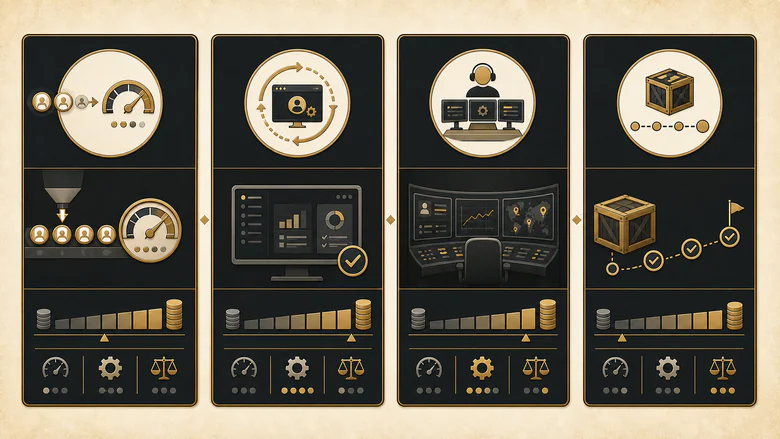
| Pricing model | How it’s charged | Typical range (as of Q3 2026) | Best for |
|---|---|---|---|
| Per record | Cents per record processed | $0.05–$0.50 / record | One-time bulk cleanups |
| Software subscription | Monthly SaaS fee | $50–$3,000+ / month | Ongoing hygiene, in-house control |
| Managed service | Retainer or scoped engagement | $1,000–$15,000+ | Large or messy data, low internal bandwidth |
| One-time project | Fixed quote | $2,000–$25,000+ | Migrations and data-quality audits |
Ranges only get you so far, because the real driver is how many records genuinely need work, not how many you have. A million-record database that’s 90% clean is a smaller job than a 100,000-record CRM that’s a mess. The honest unit cost is per usable record, not per record processed.
Cost per clean record = Total cleansing cost ÷ Records that pass quality rulesTo weigh that against the cost of doing nothing, the downloadable toolkit below includes a calculator: enter your record count, duplicate and decay rates, and a vendor quote, and it models cost per clean record, the four pricing options side by side, and the revenue at risk if you leave the data as-is.
In-house, outsourced service, or software: which model fits
The build-versus-buy question has three answers, not two, and the right one depends on data volume, how often it decays, and how much internal time you can spare. Use this as a starting decision rule:
- Keep it in-house when your database is small, sits in one clean CRM, and you have a technical person who can write and maintain the merge and validation logic.
- Buy cleansing software when you want ongoing hygiene, native CRM sync, and control over the rules, and you have the admin time to configure it.
- Hire a managed service when the data is large, messy, or spread across systems, and you need the outcome without owning the work.
| Option | Best when | Watch out for |
|---|---|---|
| In-house (manual + SQL) | Small, single-CRM database with technical support | Doesn’t scale; data re-decays with no prevention |
| Cleansing software | Ongoing hygiene with native CRM integration | Setup and admin time; rules need an owner |
| Managed service | Large or multi-source data, limited internal bandwidth | Cost, turnaround, and sharing data outside your walls |
| Hybrid | Software for prevention plus a periodic deep-clean | Coordinating two workflows and owners |
For most mid-market B2B teams, the hybrid path wins: software to hold the line on new records, plus an occasional managed sweep for the historical mess software alone won’t touch. Clean data is a maintenance program, not a purchase, and the strongest RevOps operating disciplines treat it that way.
How to choose a data cleansing service: the evaluation checklist
To choose a data cleansing service, score every vendor on the same criteria instead of reacting to whoever demos best. Eight factors separate a provider that fixes your data from one that just processes it. Weight them for your situation, because a regulated industry cares more about compliance than a startup chasing speed does.
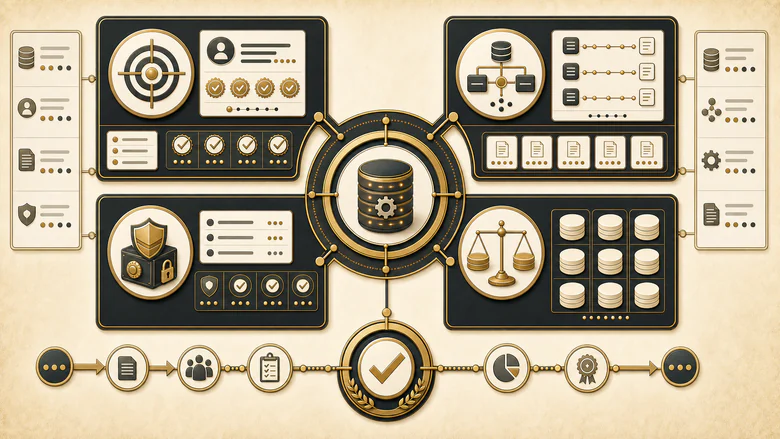
- Accuracy benchmarks. Do they publish measurable match and accuracy rates, or just claim “high quality”?
- Dedup logic transparency. Can they explain deterministic and fuzzy matching and their safeguards against false merges?
- CRM integration. Native Salesforce or HubSpot connectors, field mapping, and sync cadence, not a CSV round-trip.
- Security and compliance. SOC 2 or ISO certification, a signed DPA, and clear data residency for GDPR and CCPA.
- Pricing model. A model that matches your need, with no punitive minimums or surprise overage fees.
- Ongoing option. Continuous monitoring, not just a one-time sweep that decays away.
- Service levels. Written SLAs, turnaround times, and named support.
- Proof. References in your industry and a paid pilot or trial before you commit.
The toolkit below turns these into a weighted scorecard so you can rate two or three vendors and compare one number instead of a feeling. Score each 1 to 5, and anything above 4.0 earns a shortlist spot.
How to run a CRM data cleansing project
To run a CRM data cleansing project, work through six sequential steps rather than jumping straight to a bulk merge. The order matters: auditing first tells you what to buy, and governing last keeps the data clean after the vendor leaves.
- Audit the data. Measure completeness, duplicate rate, validity, and staleness so you know the real size of the problem. The audit checklist in the toolkit gives you the twelve checks to run.
- Deduplicate. Match and merge duplicates with controllable survivorship rules that preserve the fields and history you care about.
- Standardize. Normalize names, addresses, phone numbers, and job titles to one consistent format.
- Validate. Verify email, phone, and postal data against live directories and remove or flag what fails.
- Enrich. Fill the gaps that matter for routing and segmentation, and only those, from a trusted source.
- Govern and monitor. Add entry validation and continuous monitoring so new records don’t reintroduce the mess you just cleared.
CITE THIS PAGE
Copy-paste citation: IVRIS Tech. “CRM Data Cleansing Services: Process, Costs & Vendor Checklist.” ivristech.com, 2026. https://ivristech.com/data-cleansing-services/
Download the free CRM Data Cleansing Toolkit (ungated): XLSX · CSV — a weighted vendor scorecard, a cost & ROI calculator, and a 12-point data-quality audit checklist.
Frequently Asked Questions
Data cleansing services correct errors, duplicates, and outdated records in a database or CRM so the data is accurate and usable. They combine deduplication, standardization, validation, enrichment, and monitoring, delivered as software, a managed service, or a one-time project. The goal is data your team can route, segment, and report on with confidence.
Costs range from about $0.05 to $0.50 per record for bulk processing, $50 to $3,000+ a month for software, and $2,000 to $25,000+ for a one-time managed project (as of Q3 2026). The real driver is how many records actually need work, so cost per clean record is the number to compare, not the headline quote.
There is no difference. Data cleansing and data scrubbing are interchangeable terms for finding and fixing inaccurate, duplicate, or incomplete records. Both differ from enrichment, which adds new fields rather than correcting existing ones, and from validation, which only checks data against rules without necessarily repairing it.
There is no single defensible decay rate to plan against — published figures run from 22.5% to 70.3% a year because each one measures a different field over a different window, as our CRM data decay statistics ledger sets out. Most teams run a full cleanse annually with continuous monitoring in between, then tune that cadence against their own measured bounce and change rates rather than a borrowed industry figure. High-velocity databases, or ones fed by many sources, benefit from quarterly sweeps. The better long-term fix is prevention at entry, so records stay clean instead of needing repeated repair.
Yes, for a small, single-CRM database with someone technical to write merge and validation rules. Native Salesforce and HubSpot tools handle basic deduplication. But manual cleanup doesn’t scale and re-decays quickly, so larger or multi-source databases usually justify software or a managed service once the hours add up.
Start with the audit, not the vendor call. Once you know your duplicate rate, validity, and staleness, you can brief providers on the actual problem, compare their quotes on cost per clean record, and buy the narrowest fix that works. The scorecard and calculator above are built to make that first hour concrete. Judge those numbers against your own previous run rather than a published target, because almost every circulating CRM data quality benchmark is a vendor describing its own customer base without publishing the match rule or field register that produced it.