Updated Q2 2026.
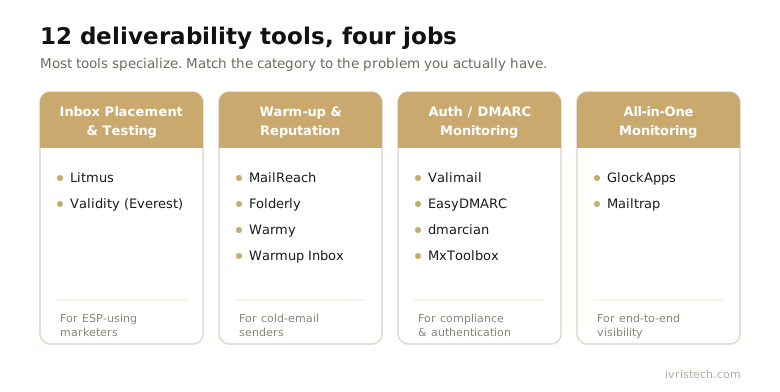
You usually meet email deliverability tools on your worst week. The cold sequence that pulled 9% replies in March is suddenly landing in spam, your open tracking has gone quiet, and nobody on the team can say whether the problem is the domain, the copy, or the DNS. The 12 best email deliverability tools for 2026 exist to catch that failure before it costs you a quarter of pipeline: they warm new sending domains, test whether your mail reaches the inbox or the junk folder, watch sender reputation in real time, and flag broken SPF, DKIM, or DMARC records before a campaign goes out to ten thousand people.
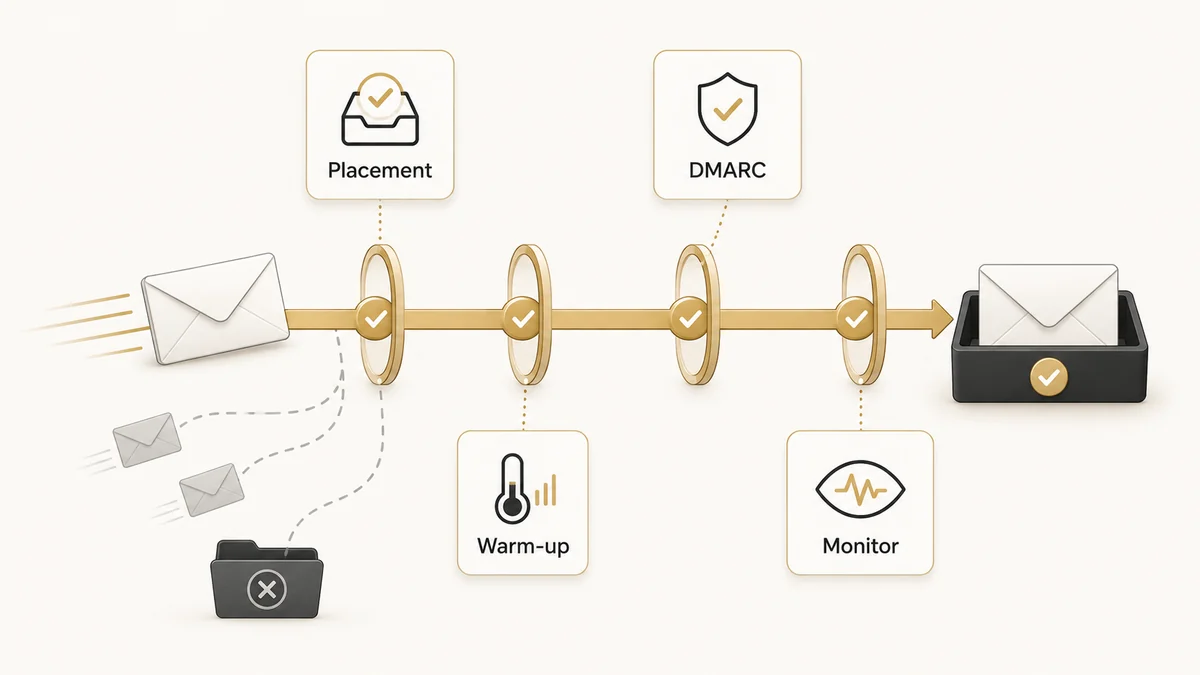
The complication is that “email deliverability tool” is really four different jobs wearing one label, and almost no product does all four well. A warm-up service will not diagnose your DMARC. A DMARC platform will not tell you whether today’s send hit the Gmail Promotions tab. This guide sorts the market into those four jobs, reviews the strongest tool in each, and gives you a verdict on who each one fits. If you also need the platform that actually sends your sequences, that is a separate layer covered in our guide to cold email software; the tools here sit above the sender and decide whether its mail ever arrives.
Key Takeaways
- Email deliverability tools split into four jobs: inbox-placement testing, warm-up and reputation, authentication and DMARC, and all-in-one monitoring. Match the tool to the job, not to the brand.
- Best for cold-email senders: MailReach (from $19.50 per mailbox/mo as of Q2 2026) and Warmup Inbox (from ~$15/inbox/mo) for warm-up; GlockApps (from $59/mo) for placement diagnostics.
- Best for ESP-using marketers: Litmus for pre-send render and spam testing; Validity’s Everest for enterprise inbox monitoring backed by Return Path reputation data.
- Best for compliance: Valimail (free DMARC Monitor tier) and dmarcian, built by a co-author of the DMARC standard, automate the authentication that a manual DNS setup configures by hand.
- Inbox placement, not delivery rate, is the metric that matters. A message can be “delivered” to the server and still sit in spam, where it never enters your funnel.
What Email Deliverability Actually Measures
Email deliverability is the share of the messages you send that actually reach the inbox rather than the spam folder, a quarantine, or a silent block. It is not the same as your delivery rate. A mailbox provider can accept a message at the server door, report it as delivered, and then quietly file it under spam. That gap between delivered and seen is where most outbound campaigns fail, because a message in the junk folder never enters your B2B sales funnel at all.
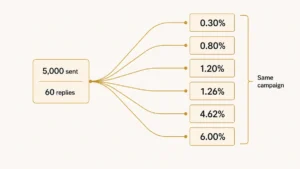
Three numbers get confused here, so keep them separate. Delivery rate is the percentage of messages a provider accepted. Inbox placement rate is the percentage that landed in the primary inbox rather than spam or Promotions. Open rate is what happens after both. You can post a 99% delivery rate and a 70% inbox placement rate at the same time, and only the second number predicts replies. Deliverability tools exist to measure and protect the second number.
Four signals decide which side of the line you land on. The first is sender reputation, the running score Gmail, Outlook, and Yahoo keep on your domain and IP based on how recipients react to your mail. The second is authentication: SPF, DKIM, and DMARC records that prove you are who you claim to be. The third is engagement, since opens, replies, and “not spam” clicks tell providers your mail is wanted while spam complaints and deletes tell them the opposite. The fourth is content and list hygiene, because spam-trigger language and dead addresses both drag placement down.
Each of those signals maps to a different tool category, which is why no single product covers the field. The engagement signal in particular ties deliverability to the rest of your funnel; the same behavioral data that feeds lead scoring also tells inbox providers whether your sends are wanted. If you cannot measure placement, you are flying blind on the one channel metric that gates everything downstream, which is why deliverability belongs in your marketing dashboard next to pipeline and cost per lead.
How We Chose These 12 Tools
We screened the deliverability market against five criteria, and every tool below clears all five.
- It does one of the four jobs well. Inbox-placement testing, warm-up and reputation, authentication, or monitoring. Tools that claim all four and master none were cut.
- Honest, current pricing. We verified each tool’s pricing this quarter and tagged every figure with the quarter it was checked, so you can tell at a glance whether a number is fresh.
- Real traction. Each tool has a meaningful B2B user base and a track record, which ruled out the “guaranteed inbox” services that quietly burn shared IP pools.
- It works across senders. The tool layers on top of your existing ESP or cold-email platform rather than locking you into one sender.
- It earns its slot against a rival. Where two tools do the same job, the stronger brand took the review slot and the other is named in context.
PRO TIP
Run a placement test before you buy any warm-up tool. If your mail already hits the inbox, you may need monitoring, not warm-up. Buying warm-up for a domain that is fine is the most common wasted spend in this category.
Two boundaries are worth stating up front. We did not review the platforms that send your campaigns; those live in a different layer covered in our cold email software comparison. And we treat EmailOnAcid as covered functionally by Litmus, since the two overlap heavily on render and inbox-placement testing and Litmus carries the deeper integration set. Teams that prefer a done-for-you motion over software entirely should look at our B2B lead generation companies roundup instead.
The 12 Best Email Deliverability Tools Compared
Here is the full field at a glance, grouped by the four jobs. Prices are entry tiers as of Q2 2026; scroll the table sideways on mobile.
| Tool | Best For | Starting Price (Q2 2026) | Free Trial | Standout | Verdict |
|---|---|---|---|---|---|
| Litmus | ESP marketers, pre-send QA | Custom (contact sales) | No (demo) | Render + spam test across 100+ clients | Best for designed marketing email |
| Validity (Everest) | Enterprise inbox monitoring | Custom (enterprise) | No (demo) | Return Path reputation data | Best for high-volume senders |
| MailReach | Cold-email warm-up | $19.50/mailbox/mo | No (20% off first 30 days) | AI warm-up + spam test | Best value warm-up |
| Folderly | Hands-off optimization | $79/mo (Inbox Insights) | Yes (free Pulse tier) | Consultant-in-a-box analysis | Best managed deliverability |
| Warmy | Warm-up with expert help | From ~$49/inbox/mo | Yes (7-day, no card) | Dedicated deliverability expert | Best guided warm-up |
| Warmup Inbox | Solo founders, lean teams | From ~$15/inbox/mo | Yes | Affordable, pay-as-you-go | Best budget warm-up |
| Valimail | DMARC enforcement at scale | Free Monitor; Enforce from $5,000/yr | Yes (free tier) | Automated DMARC, no manual DNS | Best DMARC for enterprise |
| EasyDMARC | SMB authentication | Free; paid from ~$35.99/mo | Yes (free tier) | Readable aggregate reports | Best DMARC for SMBs |
| dmarcian | Standards-grade DMARC | Free tier; paid from $19.99/mo | Yes (30-day) | Built by a DMARC co-author | Best for DMARC purists |
| MxToolbox | Blacklist + DNS monitoring | Free tools; paid monitoring (quote) | Yes (free tools) | Blacklist + DNS + delivery in one | Best diagnostics utility |
| GlockApps | All-in-one diagnostics | Free; paid from $59/mo | Yes (free plan) | Seed-list placement + DMARC + uptime | Best diagnostics for mid-market |
| Mailtrap | Product and dev teams | Free; paid from ~$15/mo | Yes (free plan) | Testing + sending + analytics | Best for transactional email |
Inbox Placement and Testing Tools
Inbox-placement tools answer one question before you hit send: will this message land in the inbox, the Promotions tab, or spam? They route a test send through seed accounts across Gmail, Outlook, Yahoo, and others, then report where it landed and why. This is the category to start with, because it tells you whether you have a problem at all. The same pre-send discipline applies to copy, which is why a placement check pairs naturally with the work in our cold email subject lines guide.
1. Litmus: Best for ESP-Using Marketers
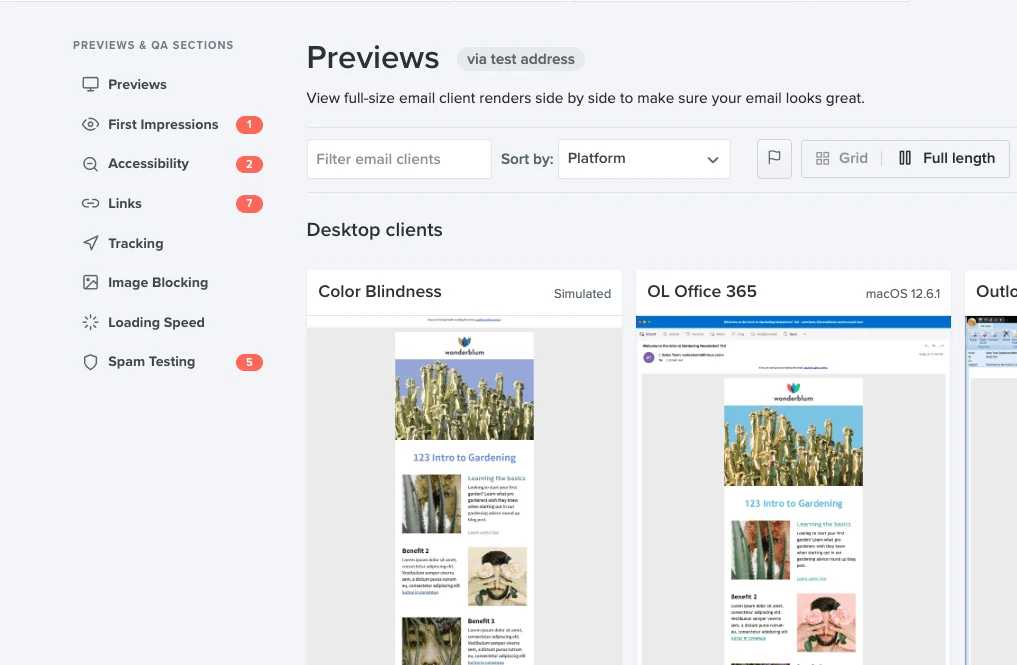
Litmus is the email QA standard for marketing teams sending designed HTML from an ESP like HubSpot, Marketo, or Klaviyo. Before a campaign ships, it renders your email across more than 100 inbox and device combinations, runs a spam-filter check against the major providers, and flags broken links or heavy code that trips filters. The deliverability piece sits inside a broader testing suite, so you catch a Gmail clipping bug and a SpamAssassin score in the same pass. Teams that would rather not own this QA loop at all hand the whole campaign operation, rendering checks included, to a managed B2B email marketing service that owns inbox placement for you.
Best for: B2B marketers running branded HTML campaigns who treat rendering and inbox placement as one workflow.
Standout: render testing across more clients than any rival, plus pre-send spam scoring and analytics.
The catch: it is built for marketing email, not cold outbound. There is no domain warm-up, and entry pricing is no longer public, which signals an enterprise sales motion.
Starting price (as of Q2 2026): custom, contact sales; recent plans emphasize unlimited seats.
Verdict: the safest pick when your mail comes from a marketing platform and design fidelity matters as much as placement.
2. Validity (Everest): Best for Enterprise Monitoring
Validity’s Everest is the enterprise incumbent, built on the Return Path reputation data that has tracked sender behavior for over a decade. It combines seed-list inbox-placement testing, ongoing reputation monitoring, and a direct line into Google Postmaster Tools, so a high-volume sender can see placement, complaint rates, and authentication failures on one screen. For teams sending millions of messages a month, that proprietary reputation history is hard to replicate. As of 2026, Validity delivers Everest in partnership with Litmus, so evaluate the two as a combined testing-plus-reputation stack rather than head-to-head rivals. Tooling at this tier only pays back if somebody runs it on a fixed cadence, and folding the render and authentication checks that belong in every pre-send pass into the campaign routine is what turns a subscription into a habit.
Best for: enterprise email teams and ESPs that need certified reputation data and account management, not a self-serve dashboard.
Standout: the Return Path reputation dataset plus sender certification, a signal mailbox providers recognize.
The catch: pricing is custom and enterprise-weighted, and the platform is more than a lean team needs or can justify.
Starting price (as of Q2 2026): custom enterprise quote; demo only.
Verdict: the right call once volume and brand risk make a guaranteed inbox a board-level concern.
Email Warm-up and Reputation Tools
Warm-up tools build a new domain’s reputation gradually by sending and engaging with low volumes of seed mail until inbox providers learn to trust it. They are non-negotiable for cold outbound on a fresh domain, where a single bad week can cost months of recovery. None of them works on a broken foundation, though: if your SPF, DKIM, and DMARC records are not configured, warm-up cannot save you, which is the manual groundwork our cold email setup guide walks through with the actual terminal commands.
3. MailReach: Best Value Warm-up
MailReach pairs an AI-driven warm-up algorithm with automated spam-placement testing, so you build reputation and check inbox placement from the same dashboard. It connects to Google Workspace, Microsoft 365, and most SMTP setups, ramps sending volume sensibly, and engages seed mail to push your messages out of spam and into the primary tab. The per-mailbox pricing keeps it sane for teams running a handful of sending accounts rather than dozens. Warm-up only pays back if the inbox is in the right place to begin with, which is why the mailboxes you warm should sit on a domain separate from your primary rather than the one your business runs on.
Best for: founders and small SDR teams warming one to ten cold-email mailboxes who want warm-up and a spam test in one tool.
Standout: the warm-up plus spam-test combination at a per-mailbox price, rather than two separate subscriptions.
The catch: there is no free trial, though a launch discount softens the first month, and it is focused on warm-up rather than deep diagnostics.
Starting price (as of Q2 2026): $19.50 per mailbox per month on the All-In-One plan, billed monthly.
Verdict: the best-value warm-up for cold senders who also want placement visibility built in.
4. Folderly: Best Managed Deliverability
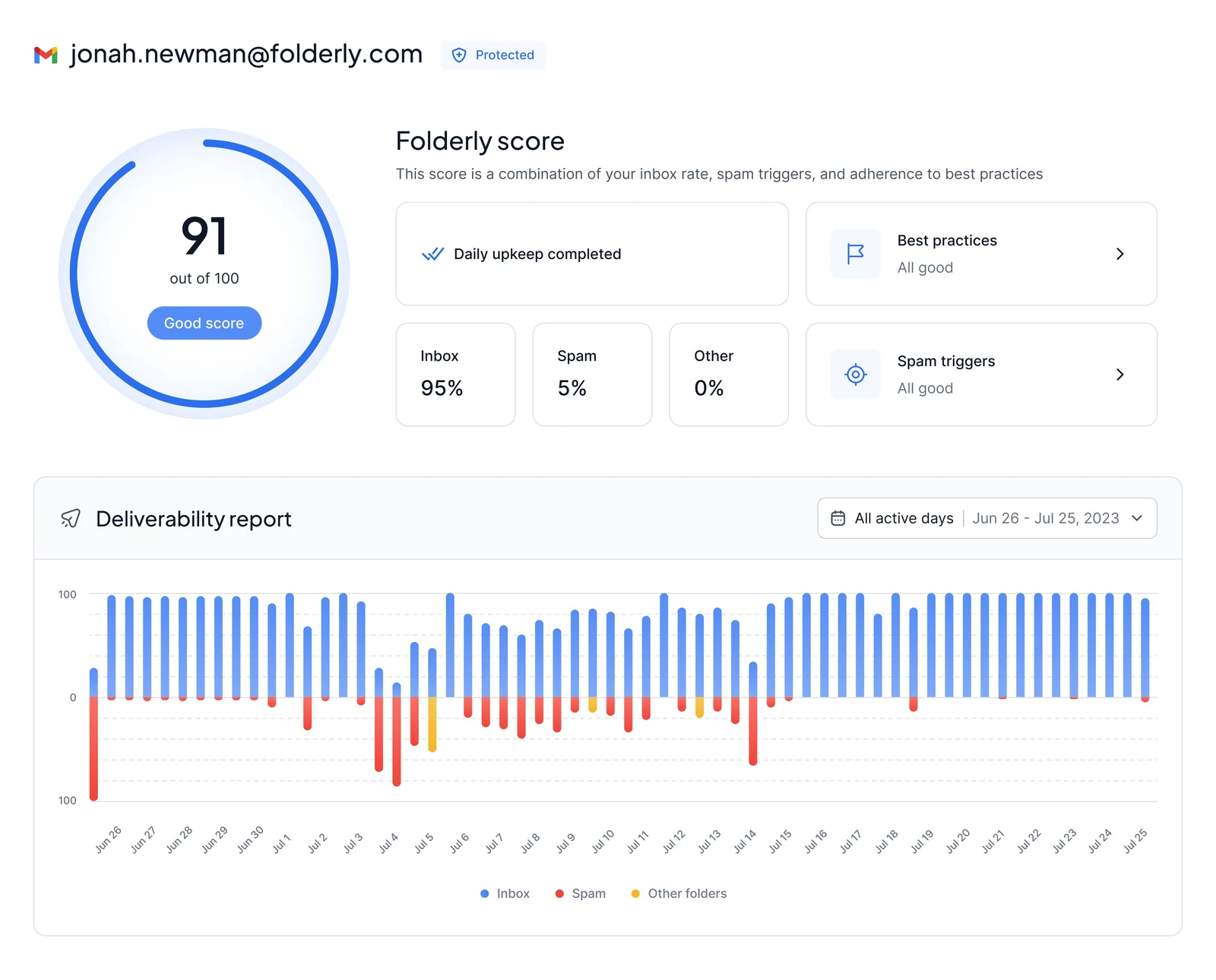
Folderly is the closest thing to a deliverability consultant in software. It connects to your sending platform, scores your deliverability continuously, identifies the spam triggers dragging you down with AI content analysis, and runs warm-up alongside monitoring. It integrates with Gmail, Outlook, Yahoo, Amazon SES, Mailgun, and SendGrid, so it layers cleanly on top of whatever you picked from our cold email software guide, and its free Pulse tier sends real-time spam-placement alerts by email, Slack, or SMS before a problem compounds.
Best for: teams that want deliverability handled end to end and would rather pay for ongoing analysis than run it themselves.
Standout: continuous warm-up plus content analysis plus monitoring in one platform, rated 4.8 on G2.
The catch: it gets expensive at scale, listing around $120 per mailbox for one to nine mailboxes and $90 per mailbox for ten to twenty-four.
Starting price (as of Q2 2026): $79 per month for Inbox Insights; free Pulse alerting tier available.
Verdict: the strongest hands-off option when deliverability is mission-critical and you want a system, not a checklist.
5. Warmy: Best Guided Warm-up
Warmy automates domain and IP warm-up using a network of real mailboxes across Gmail, Outlook, Yahoo, Google Workspace, and Microsoft 365, and it bundles a free deliverability test so you can see your starting position. What separates it from cheaper rivals is the dedicated deliverability expert included on paid plans, which turns warm-up from a set-and-forget feature into a guided process when something goes wrong.
Best for: teams that want automated warm-up plus a human to call when placement drops, without hiring a consultant.
Standout: a dedicated deliverability expert on every paid plan, rare at this tier.
The catch: the per-inbox price climbs steeply across the higher B2B and B2C tiers, and the largest plans move to quote-based pricing.
Starting price (as of Q2 2026): Starter around $49 per inbox per month; 7-day free trial with no card.
Verdict: the warm-up tool to pick when you want guidance attached, not just automation.
6. Warmup Inbox: Best Budget Warm-up
Warmup Inbox is the lean pick. It runs a large peer network that exchanges and engages with your test mail to build reputation, offers Basic, Pro, and Max tiers on a pay-as-you-go basis with no long-term contract, and keeps the interface simple enough to set up in an afternoon. Users consistently praise the price-to-value ratio, which makes it the default for solo operators and agencies spinning up many low-cost mailboxes.
Best for: solo founders and lean teams who need credible warm-up at the lowest defensible price.
Standout: affordability and a no-commitment, pay-as-you-go model.
The catch: it is warm-up first; you will still want a separate placement-testing or monitoring tool for diagnostics.
Starting price (as of Q2 2026): Basic from $15 per inbox per month, Pro at $49/mo for three inboxes, with 20% off annual billing.
Verdict: the budget warm-up that does the core job without the platform overhead.
Email Authentication and DMARC Tools
Authentication tools manage SPF, DKIM, and DMARC, the records that prove your mail is genuinely yours. Since Google and Yahoo began enforcing authentication for bulk senders in 2024, getting these right moved from best practice to a hard requirement; senders pushing more than 5,000 messages a day must authenticate and keep spam complaints below 0.3%, per Google’s sender guidelines and Yahoo’s sender best practices. These platforms automate and monitor the same records that our cold email setup guide configures manually with dig and nslookup.
7. Valimail: Best DMARC for Enterprise
Valimail automates DMARC enforcement at a scale that manual record editing cannot reach. Its free Monitor tier gives you visibility into who is sending mail as your domain, and the paid Enforce and Protect tiers move you safely from a monitoring policy to full rejection without breaking legitimate mail streams. The differentiator is that Valimail manages the underlying records as a service, so you reach enforcement without hand-editing DNS for every vendor that sends on your behalf.
Best for: enterprises with many sending services that need to reach DMARC enforcement without manual record sprawl.
Standout: an automated path to enforcement plus a genuinely useful free Monitor tier.
The catch: the enforcement tiers jump to enterprise pricing fast, so the value is clearest for larger organizations.
Starting price (as of Q2 2026): free DMARC Monitor; Enforce from $5,000 per year, with Premium and Enterprise by custom quote.
Verdict: the DMARC platform for complex sending environments where manual enforcement is unrealistic.
8. EasyDMARC: Best DMARC for SMBs
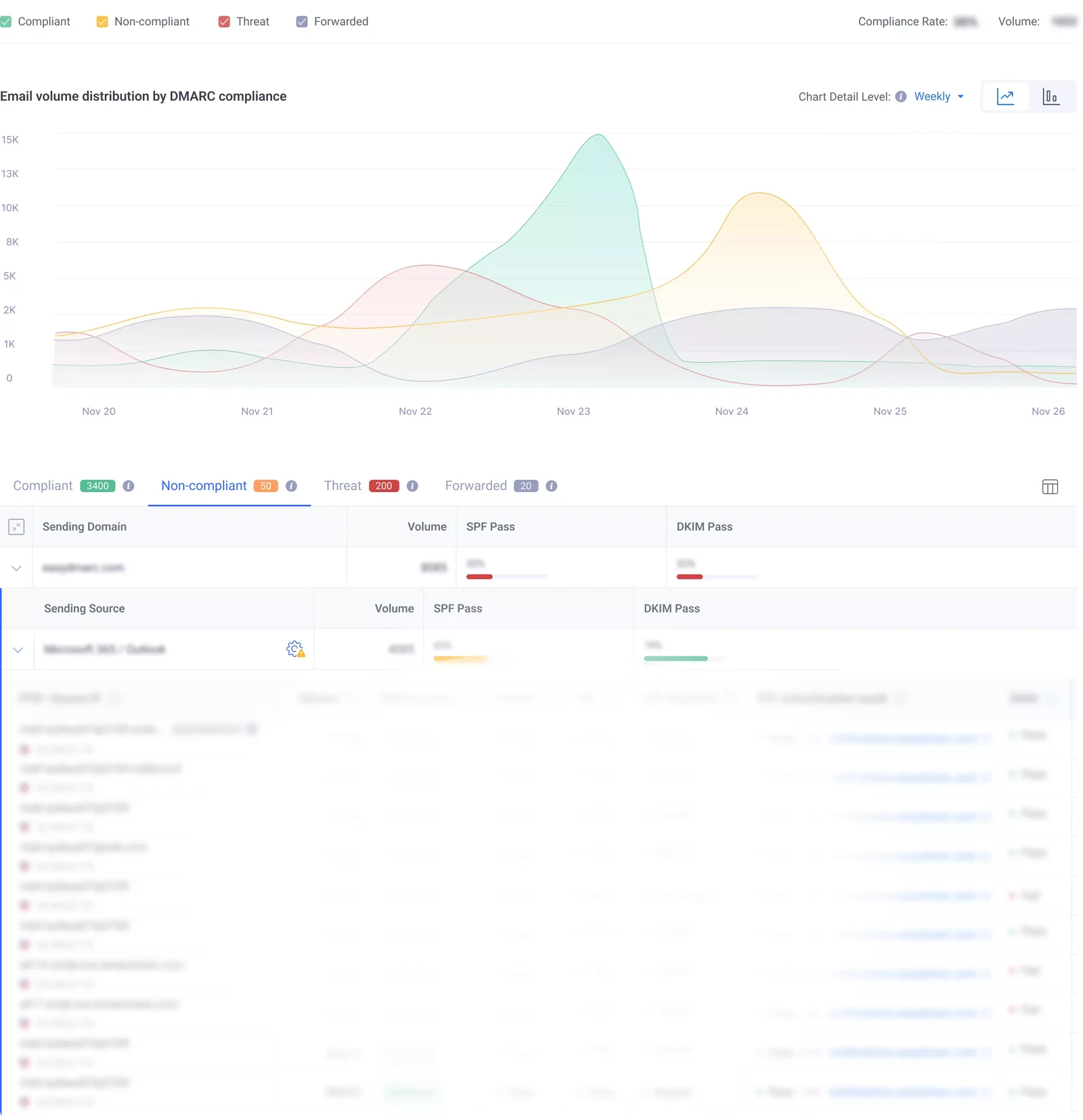
EasyDMARC takes the most painful part of DMARC, reading raw aggregate XML reports, and turns it into a dashboard a non-specialist can act on. It walks you from a monitoring policy toward enforcement with guided steps, hosts the SPF and DKIM records you would otherwise publish by hand in our cold email setup guide, and flags failures clearly enough that you do not need a deliverability background to fix them. A free tier covers a single domain, which makes it an easy starting point.
Best for: SMBs and agencies that need real DMARC without an in-house email engineer.
Standout: the clearest aggregate-report parsing in the category for the price.
The catch: very large or complex senders may outgrow it and want Valimail’s managed enforcement.
Starting price (as of Q2 2026): free tier for one domain; paid plans from about $35.99 per month, billed annually.
Verdict: the most approachable DMARC tool for teams setting it up for the first time.
9. dmarcian: Best for DMARC Purists
dmarcian was built by people who helped write the DMARC standard, and that heritage shows in its rigor. The platform parses your reports, visualizes every source sending as your domain, and guides you through SPF, DKIM, and policy progression with documentation that doubles as an education. It is less about a slick dashboard and more about getting authentication genuinely correct, which is why deliverability specialists trust it.
Best for: teams and consultants who want standards-grade DMARC tooling and depth over polish.
Standout: credibility and education from a tool tied to the origins of the DMARC spec.
The catch: the interface is more technical than EasyDMARC, with a steeper first hour.
Starting price (as of Q2 2026): a free tier for two domains, then volume-based plans from $19.99 per month, with a 30-day free trial.
Verdict: the choice when you want DMARC done properly, not just reported.
10. MxToolbox: Best Diagnostics Utility
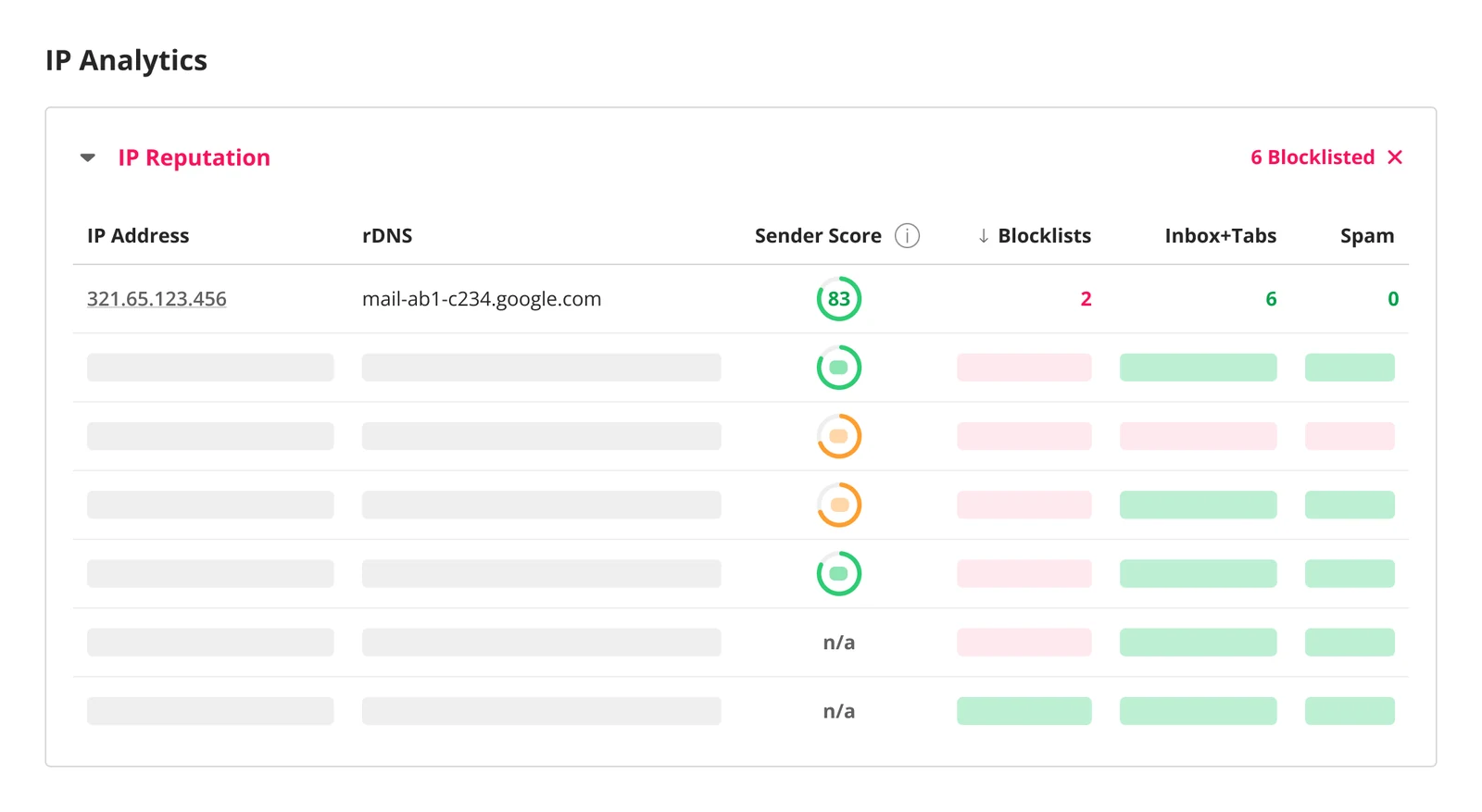
MxToolbox is the utility most email teams already know from its free lookups. Its paid Delivery Center and monitoring layer turn those one-off checks into continuous surveillance: blacklist monitoring across dozens of blocklists, DNS and MX record health, and deliverability alerts when something breaks. It is less a warm-up or testing suite and more an always-on watchtower for the infrastructure your sending depends on.
Best for: teams that want blacklist, DNS, and deliverability monitoring consolidated into one alerting layer.
Standout: the breadth of free diagnostic tools, upgraded into continuous monitoring.
The catch: the monitoring tier is priced for businesses, and it does not warm domains or test creative placement.
Starting price (as of Q2 2026): free diagnostic tools; the paid monitoring and Delivery Center tiers are quote-based, so confirm current pricing with MxToolbox.
Verdict: the infrastructure watchtower to pair with a warm-up or placement tool.
All-in-One Deliverability Monitoring
The all-in-one tools try to cover diagnostics, placement, and authentication in a single dashboard. They rarely beat a specialist at any one job, but they reduce tool sprawl, which matters when a small team is already juggling its lead generation stack and the analytics it reports on, and does not want a fourth login. The trade is breadth for depth, and for many mid-market senders that trade is worth making.
11. GlockApps: Best Diagnostics for Mid-Market
GlockApps is the full-stack diagnostic pick. It runs inbox-placement tests across a wide seed network, checks spam triggers against SpamAssassin rules, monitors dozens of blocklists, audits SPF, DKIM, and DMARC, and adds uptime monitoring on top. The free plan includes a couple of spam tests and a generous DMARC message allowance, so you can diagnose a problem before paying. What it deliberately does not do is warm domains, which keeps it honest as a diagnostics-and-monitoring tool rather than a reputation builder.
Best for: mid-market senders who want placement testing, authentication checks, and monitoring in one affordable platform.
Standout: seed-list placement testing, DMARC analytics, and uptime monitoring bundled together.
The catch: the separate credit pools for different features take a minute to understand, and there is no warm-up.
Starting price (as of Q2 2026): free plan available; paid plans from $59 per month, with about 30% off annual billing.
Verdict: the best all-in-one diagnostics for teams that want one dashboard and will warm elsewhere.
12. Mailtrap: Best for Product and Dev Teams
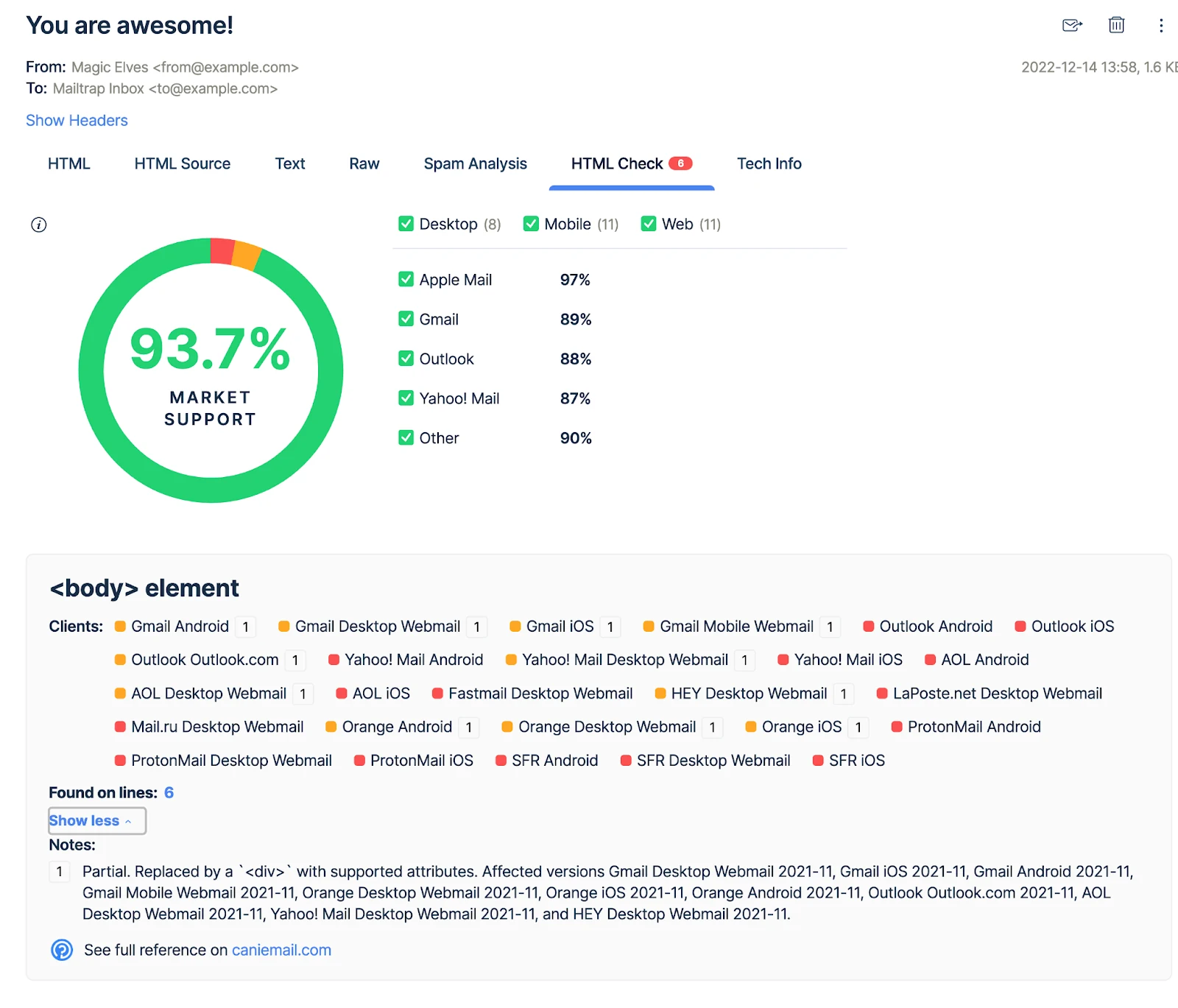
Mailtrap approaches deliverability from the developer side. It pairs an email-testing sandbox, where teams safely inspect emails before they ship, with an email-sending service that includes deliverability monitoring and analytics. For companies sending high volumes of transactional or product email over SMTP or API, having testing, sending, and placement analysis under one roof removes a class of integration headaches that warm-up-only tools never address.
Best for: product and engineering teams sending transactional email who want testing and sending in one platform.
Standout: a true email sandbox plus a sending service with deliverability analytics built in.
The catch: it is oriented to transactional and product email, not cold outbound or designed marketing campaigns.
Starting price (as of Q2 2026): free plan; paid Email Testing and Email Sending tiers from around $15 per month.
Verdict: the right pick when deliverability is a developer problem as much as a marketing one.
Stack Architecture: Where These Tools Fit

Deliverability tools are a middle layer, and seeing where they sit prevents most buying mistakes. Above them is the sending layer: the ESP or cold-email platform that actually pushes your campaigns out the door. Those platforms often bundle a basic warm-up feature, but a built-in warm-up tied to one sender is not the same as a cross-sender monitoring and placement layer that watches every mailbox you run.
Below the deliverability tools is the foundation: the SPF, DKIM, and DMARC records in your DNS. That layer is the bedrock everything else depends on, and configuring it is a one-time, by-hand job. The deliverability platforms in this guide automate and monitor that same foundation, so the work you would otherwise do once in a terminal becomes a continuous, alerted process. Read top to bottom, the stack is simple: the sender ships, the deliverability layer watches and warms, and the DNS foundation proves you are legitimate.
Email Deliverability Tool Pricing in 2026

Pricing in this category sorts into three honest tiers, and knowing which tier you need keeps you from overbuying. The entry tier, roughly $15 to $50 per inbox per month, covers per-mailbox warm-up from Warmup Inbox, MailReach, and Warmy. This is where most cold-email teams start, and where the spend scales with the number of sending mailboxes rather than contacts.
The middle tier, roughly $50 to $130 per month, covers monitoring and authentication: GlockApps, Mailtrap, EasyDMARC, dmarcian, and MxToolbox. These price on features and volume rather than per mailbox, so they stay flatter as your sending grows. The top tier, from about $120 per month into custom enterprise quotes, covers the platforms: Litmus, Folderly, Valimail, and Validity. You reach this tier when deliverability becomes a dedicated function rather than a task, which is the same point at which it earns a line in your marketing-metrics reporting.
IMPORTANT
Be skeptical of any tool promising a “guaranteed inbox” at a flat low price. Those services often route mail through shared IP pools that one bad sender can poison, taking your reputation down with theirs. Pay for warm-up, testing, and monitoring; never pay for a guarantee no honest vendor can make.
How to Test Your Email Deliverability
You do not need to buy anything to find out whether you have a deliverability problem. Run this five-step test first, then let the result decide which category of tool you actually need.
- Verify authentication. Confirm SPF, DKIM, and DMARC are published and passing. A free record checker or the manual dig commands both work, and a failing check explains most spam-folder problems on its own.
- Send a seed test. Use a free or trial inbox-placement test from GlockApps, MailReach, or Mail-Tester to send one real message to seed accounts and see exactly where it lands.
- Read the placement split. Note the share that hit the primary inbox versus Promotions versus spam across Gmail, Outlook, and Yahoo. Below 80% primary placement is a problem worth fixing now.
- Check reputation. Register the domain in Google Postmaster Tools, then watch domain reputation and spam rate over a week. Keep complaints under 0.1%.
- Match the fix to the failure. A new domain landing in spam needs warm-up. A mature domain failing checks needs authentication monitoring. A clean domain that still misses the inbox usually has a content or list problem, not an infrastructure one.
Most teams find they need one category, not four. The test costs ten minutes and saves you from paying for tools your sending does not actually need.
Which Email Deliverability Tool Should You Choose?
The right tool is the one that matches your sending motion. Five common cases cover most teams.
- Best for a solo founder cold-emailing: Warmup Inbox or MailReach. You need affordable warm-up and a basic spam test, not an enterprise platform.
- Best for ESP-using marketers: Litmus. Pre-send render and spam testing inside the campaign workflow you already run.
- Best for compliance-driven enterprise: Valimail, paired with Validity for monitoring. Automated DMARC enforcement plus certified reputation data.
- Best for agencies managing multiple senders: GlockApps or Folderly. One dashboard across many client domains, with alerting that scales.
- Best for warm-up only: Warmy or Warmup Inbox. When placement is the single job and you do not need diagnostics yet.
Whatever you pick, treat deliverability as one input to demand, not the whole engine. The teams that stay resilient pair a healthy sending channel with a durable B2B SEO strategy so they are never betting an entire quarter of pipeline on a single domain’s reputation.
What This Guide Doesn’t Cover
Two adjacent topics sit deliberately outside this guide so it stays focused on the monitoring-and-warm-up layer. The first is the sending engine itself. The platforms that build sequences, rotate mailboxes, and run campaigns are a different category with a different buyer, compared in full in our best cold email software guide; the tools here sit above that sender and judge whether its mail arrives.
The second is manual authentication setup. If you want to configure SPF, DKIM, and DMARC yourself with dig and nslookup, our cold email setup guide walks the by-hand route end to end. The deliverability platforms above automate and monitor that same authentication rather than replace the understanding of it. Sending tools, manual DNS setup, and the deliverability layer are three distinct jobs, and conflating them is how teams buy the wrong product.
Is cold email legal? B2B email rules by region (2026)
Cold B2B email is broadly permitted in the US, conditional in the UK and Australia, and consent-first (and riskier) in Canada and much of the EU. The rules below govern marketing email to business contacts. Confirm the current statute for the market you send into before you press send.
| Region | Consent model | Core rules for B2B email | Penalty exposure |
|---|---|---|---|
| United States (CAN-SPAM) | Opt-out | No prior consent needed. Accurate sender and subject lines, a valid physical postal address, a clear opt-out honored within 10 business days, and the message identified as an ad. | Up to $53,088 per email (2025 FTC adjustment) |
| Canada (CASL) | Opt-in (express or limited implied) | Among the strictest, and it applies to B2B. Needs consent (express, or implied via an existing business relationship for 2 years or an inquiry for 6 months), full sender identification, and a working unsubscribe honored within 10 days. | Up to CAD $10M per violation (business) |
| United Kingdom (PECR + UK GDPR) | Soft opt-in for corporate subscribers | Email to corporate subscribers (Ltd/LLP) is allowed without prior consent under PECR, provided you identify the sender, offer an opt-out, and have a UK GDPR lawful basis for any named individual. Sole traders and partnerships need consent. | PECR up to £500,000 (UK GDPR up to £17.5M / 4% for personal-data misuse) |
| European Union (GDPR + ePrivacy) | Generally opt-in | Consent is the default; any legitimate-interest latitude for B2B is member-state dependent (Germany is notably strict). Identify the sender, provide an opt-out, and document your lawful basis. | Up to €20M or 4% of global turnover |
| Australia (Spam Act 2003) | Consent (express or inferred) | Inferred consent is allowed where a work address is conspicuously published and relevant to the role (no corporate-versus-personal distinction, unlike the UK). Identify the sender and include a functional unsubscribe. | Civil penalties up to about AUD $2.22M per day |
Bottom line: build your list and sending posture around the strictest market you actually email into. This is a summary for marketers, not legal advice, so verify the current statute before a campaign. Last reviewed: June 2026.
Frequently Asked Questions
The rules differ by country. The US (CAN-SPAM) is opt-out, so B2B cold email is broadly allowed. The UK permits B2B email to corporate subscribers under PECR, and Australia allows it with express or inferred consent, but Canada’s CASL and much of the EU require opt-in consent first. The same campaign can be compliant in one market and a violation in another, so check the by-region table above before sending across borders.
There is no single best tool, because the category covers four jobs. For cold-email warm-up, MailReach and Warmup Inbox lead on value. For pre-send testing, Litmus is the marketer standard. For DMARC, Valimail and dmarcian are strongest. For all-in-one diagnostics, GlockApps is the mid-market pick. Match the tool to the job you have.
Run an inbox-placement test, which sends a sample message to seed accounts across Gmail, Outlook, and Yahoo, then reports where it landed. GlockApps, Folderly, and MailReach all include placement tests. Pair the test with a healthy sending setup; placement tests reveal problems but cannot fix a domain with broken authentication.
Aim for inbox placement above 90% and keep spam complaints under 0.1%, well below the 0.3% threshold Google and Yahoo enforce for bulk senders. Note that delivery rate and inbox placement differ: a message can be delivered to the server yet filed in spam, so track placement, not just delivery.
Yes, for their narrow job: building a new domain’s reputation so it is trusted before real campaigns start. Warm-up cannot rescue a domain with broken SPF, DKIM, or DMARC, and it cannot fix spammy copy. Use warm-up alongside proper SPF, DKIM, and DMARC authentication and clean list hygiene, not as a substitute for either.
The Bottom Line
Email deliverability is not one purchase; it is four jobs, and the teams that get it right buy for the job in front of them. Start with a placement test to learn whether you have a problem. If you do, add warm-up for a young domain, authentication monitoring for a maturing one, and an all-in-one diagnostics tool once you are running enough volume to need a single source of truth. Skip the guarantees, tag every price with the quarter you checked it, and revisit the stack each quarter, because mailbox providers keep moving the line. Get the inbox right and every other number downstream, from open rate to pipeline, finally has a chance to work.